
The TAO Portal editor in System Settings displays which functional aspects of the TAO Portal that are currently editable at the platform-wide level.
Mandatory emails
There is an option is to make email a mandatory field for new users. Making emails mandatory enhances security (accounts with emails must be validated) whilst also improving user experience (i.e, if a user forgets their password).
Once mandatory emails are enabled in System Settings, all existing users without an email will be redirected to their profile and asked to provide an email upon login.
For more information, see the following articles:
-
Creating a new user ← adding an email for a new user
-
Editing an existing user ← adding an email and/or sending a verification link for existing users
-
Managing your TAO Portal account ← enabling email notifications and security options
Disable the ability for test taker’s to change their password
There is an option to disable the option for test taker’s to change their password. Typically, the option for a user to change their password is available from the My User interface (see Managing your TAO Portal account).
Test taker’s with verified emails will still be able to change their password via the Forgot Password option upon login. This feature only impacts changing their password from the My User interface.
Configuring the “My Sessions” tiles for test takers
This section allows you to customize what appears on the sessions tiles in “My sessions” as a test taker. This can be configured for Public or Private sessions. Note that any changes made to either HTML template will apply to all (public or private) sessions within your organization.
HTML input is sanitized to prevent the injection of malicious code.
-
Edit the
{groupName}and{sessionName}variables to reflect what will appear on each tile. -
Optionally add
class=”value”within the HTML tags to embed custom styling and adjust headers (see example below). -
Click Reset to default to revert to the original display (each session’s title and assigned group).
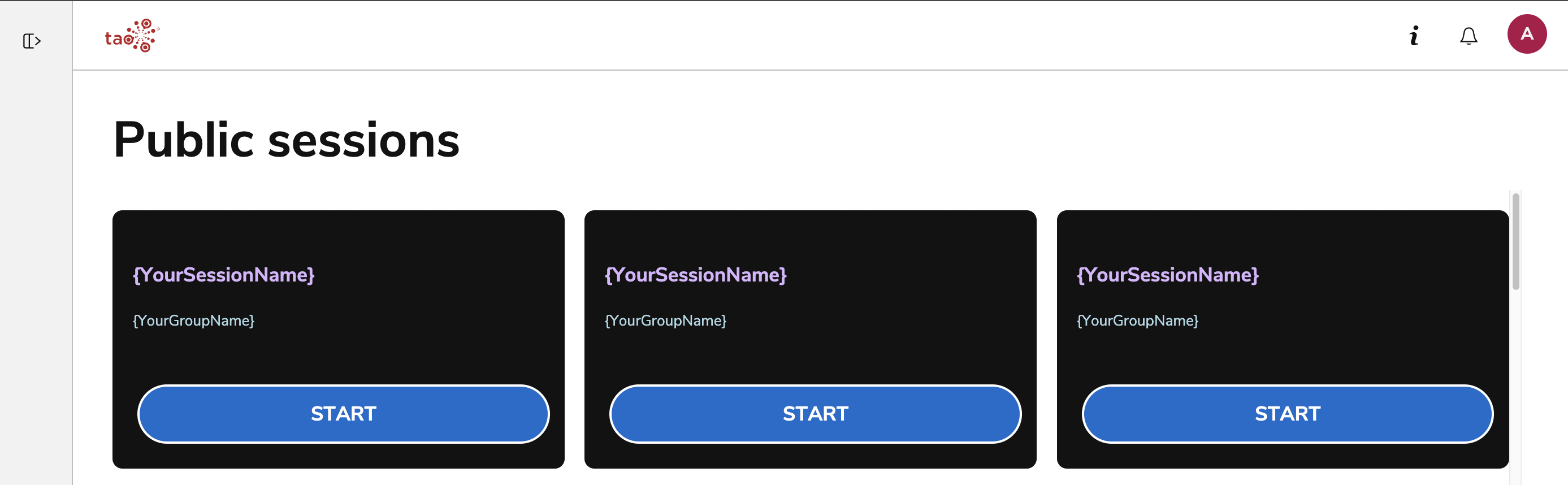
Session tile customization example
The following HTML code changes the public sessions tiles in the following ways:
-
Re-orders the session name and group name
-
Adds different colors to session name and group name
-
Designates the session name as a header
<h4 style="color:#D8B4FE">{YourSessionName}</h4>
<span style="color:#ADD8E6">{YourGroupName}</span>
Require re-authorization for IP address changes during a session
Toggle this option to force test takers to be re-authorized by proctors if there is a change in their public IP address during an ongoing session. For information on how to authorize a test taker as a proctor, see Managing test takers during a live session.
This feature will apply only to all sessions, even if if Require authorization to start is not enabled as a security option for the session. For more information, see Creating a session.