
The Addons editor allows you to enable or disable certain features via System Settings.
Wiris MathType
Wiris MathType is a tool that helps the authors and test takers enter math formulas using a math editor popup. For more information on using Wiris as an author, see Using math expressions.
Using MathType in Extended Text interactions
If MathType is enabled by your administrator, test takers can enter mathematical formulas directly within Extended Text interactions configured with rich text + math mode.
For more information on Extended Text interactions, see Extended text interaction.
Enabling the Wiris MathType for test takers
Under System Settings > Addons, toggle Enable Wiris MathType for TAO Advance.
How it works
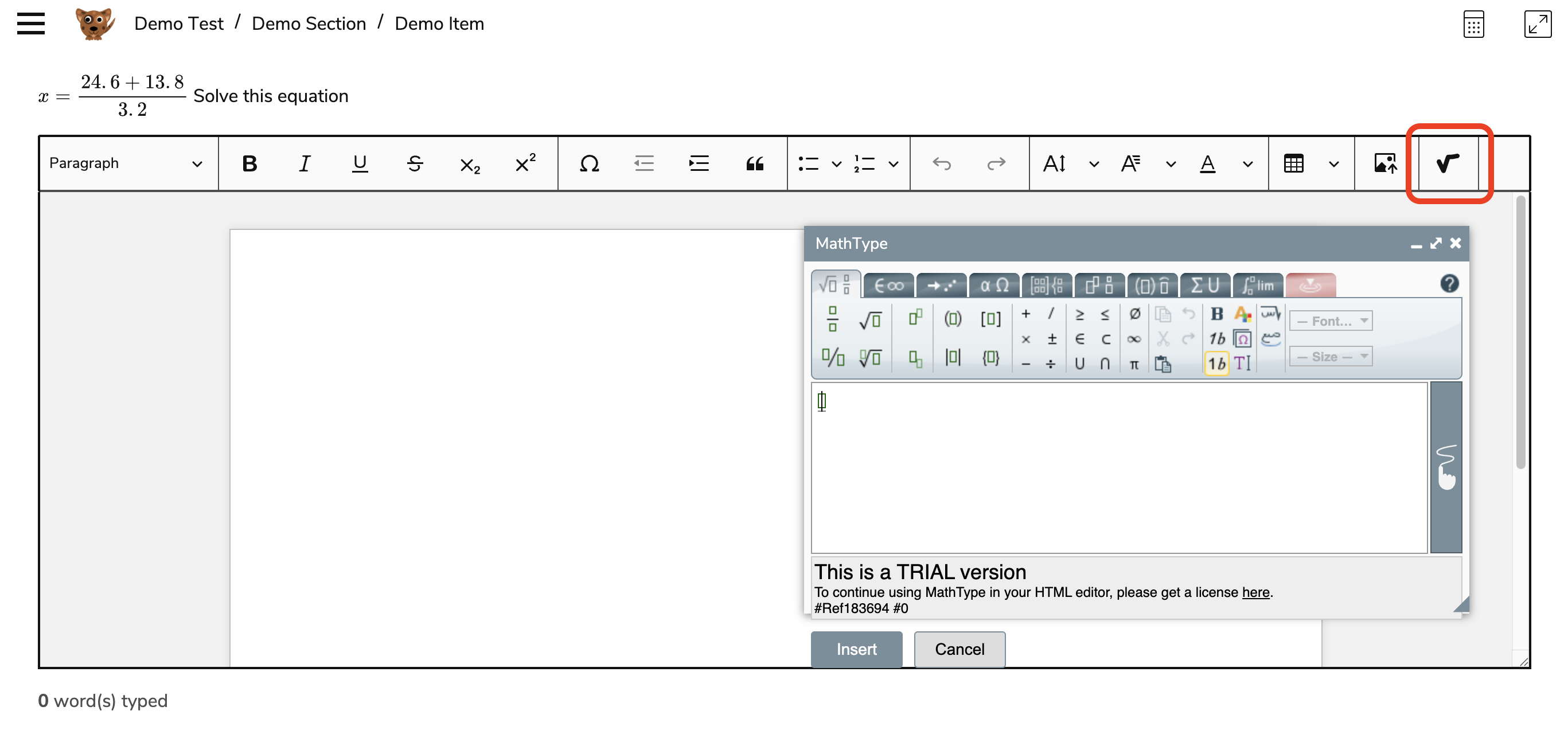
When an extended text interaction is configured in rich text + math mode, a math formula button appears in the editor toolbar:
-
Select the math formula button to open the editor.
-
Use the editor to write and insert formatted mathematical expressions into your response.
Handwriting and formula input
Wiris MathType also supports handwriting input on compatible devices:
-
Test takers can draw formulas directly using a touchscreen or stylus.
-
The tool automatically converts handwritten input into formatted mathematical expressions.