
Item level properties icons will be found on the same line as the item label when authoring a test. Settings configured at the Test, test Part, and test Section levels will override settings configured at the test Part level.
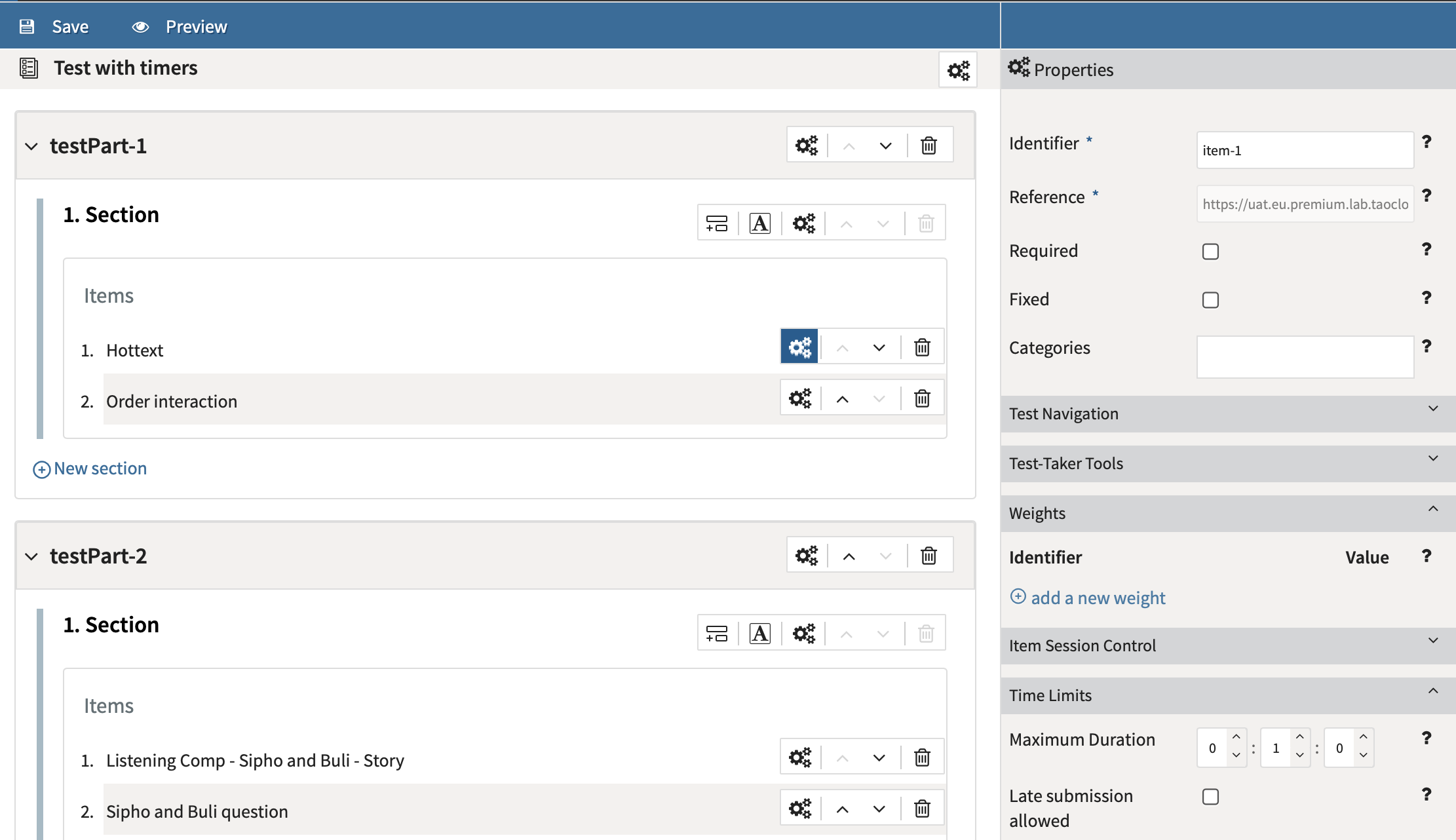
Click on the Item level properties icon. This brings up seven panels: general properties, Test Navigation, Navigation Warnings, Test-taker Tools, Weights, Item Session Control, and Time Limits.
In the Ignite Edition of TAO, the text-to-speech functionality (described above for section level properties) can be also configured at item level.
General Properties
The general properties include entries for: Identifier, Reference, and Categories. It also includes check boxes to indicate if the item is Required and if it is Fixed.
The Identifier and References boxes generally do not require modification (the identifier is relevant for identifying the items within the results, while the reference is a read-only identifier set by the platform).
If the Required box is checked, the item will appear in the test, even if less than the total number of items appears in a given test (in a section where selection is enabled).
If the Fixed box is checked, the item will appear in a particular order, even if the section ordering calls for shuffling. Categories are not displayed to the test-taker; typically they are used to calculate aggregate scores (e.g. on sub-domains). For more information, see the chapter on Scoring Tests.
Categories
For more information and category options, see Test categories.
Test Navigation
Check Informational Item Usage if the item has been included in the test for informational purposes only. This prevents the item being treated as a question. If this box is checked for the test at the Part or Section level, it applies it to all items underneath that section or test part.
Navigation Warnings & Test-taker Tools
For Test Navigation, Navigation Warnings, and Test-taker Tools, see the descriptions in the section level properties.
Weights
In the Weights panel, the weight of that item can be adjusted. It is also possible to add further weights if you wish to enable the item to be scored in different ways for different tests. The weight value to be used for a specific test should be selected in the Weight box in the Scoring panel in the test properties section above. The default weight value for each item is 1. The chapter on Scoring Tests gives more information on weights.
Time Limits
For Time Limits, define the minimum and maximum time a test taker can spend on an item. For information on late submission, see Test settings.
Guided navigation for TAO Advance
The guided navigation functionality provides test authors with the ability to set a minimum and maximum time limit for an item. If an item’s minimum and maximum duration are identical as part of a linear test Part, the test navigation buttons will be disabled and the test-taker is moved automatically to the next item when the timer expires (with no timer warning).
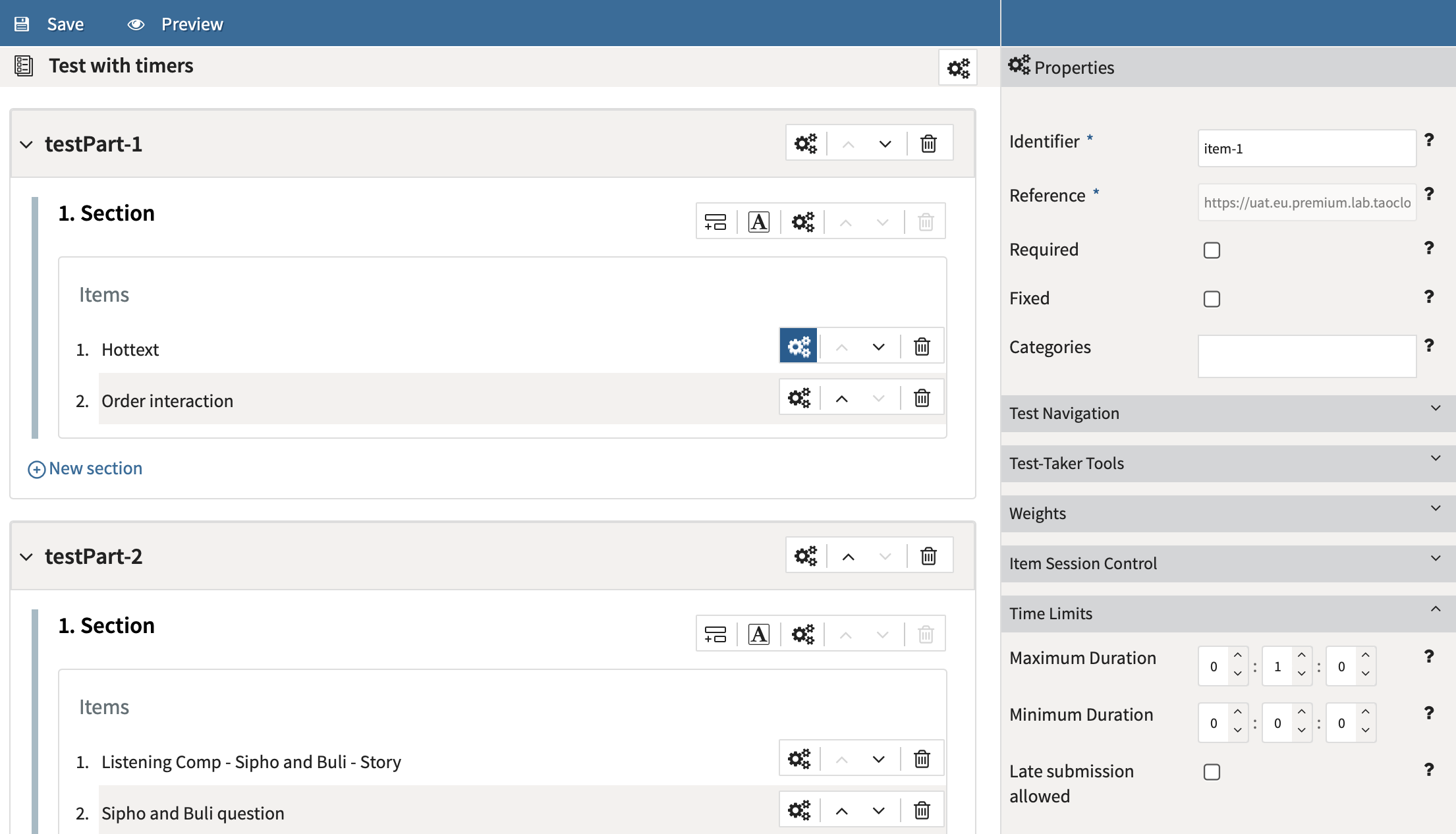
All items with guided navigation need to be grouped together in a linear test part (see above) with the maximum timer for the part set to the cumulative time of all included items.
Item Session Control
For Item Session Control, see the description in Test Part settings.