
This article describes how to generate items or tests from source materials in the library.
-
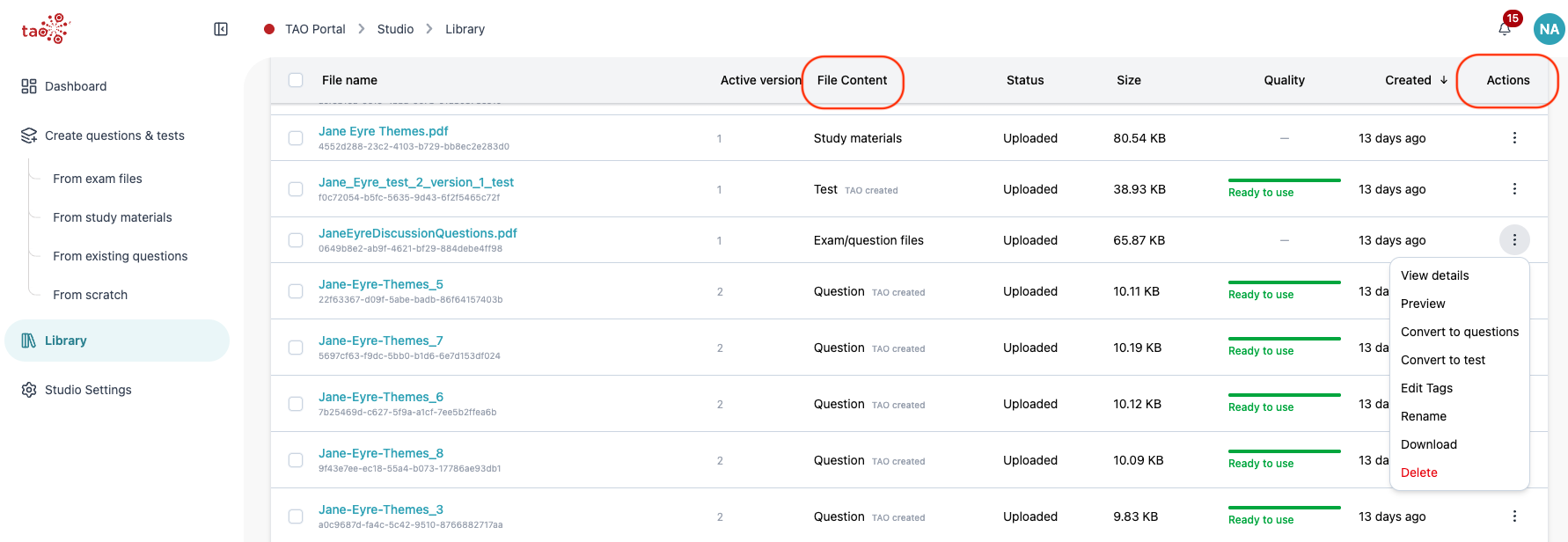
Locate a source material file, such as study materials or exam questions (see the File Content column).
-
Open the actions menu:
-
Row menu: Select the ellipses for a file under the Actions column.
-
Details drawer: Open a file by clicking its file name in the list, review its metadata and summary, then use Actions from the drawer.
-
-
The Action menu offers the following options:
-
-
Study materials: Generate test, Generate questions
-
Exam files: Convert to test, Convert to questions
-
-
This will open a view where you will be prompted to fill in (or select the AI option) mandatory and optional metadata for the generated test or questions.