
Tests that are assembled or generated in TAO Studio must be published as a delivery before they can be used in test sessions.
-
From the library, locate the test you want to publish. For more information on filtering and search, see Searching for content.
-
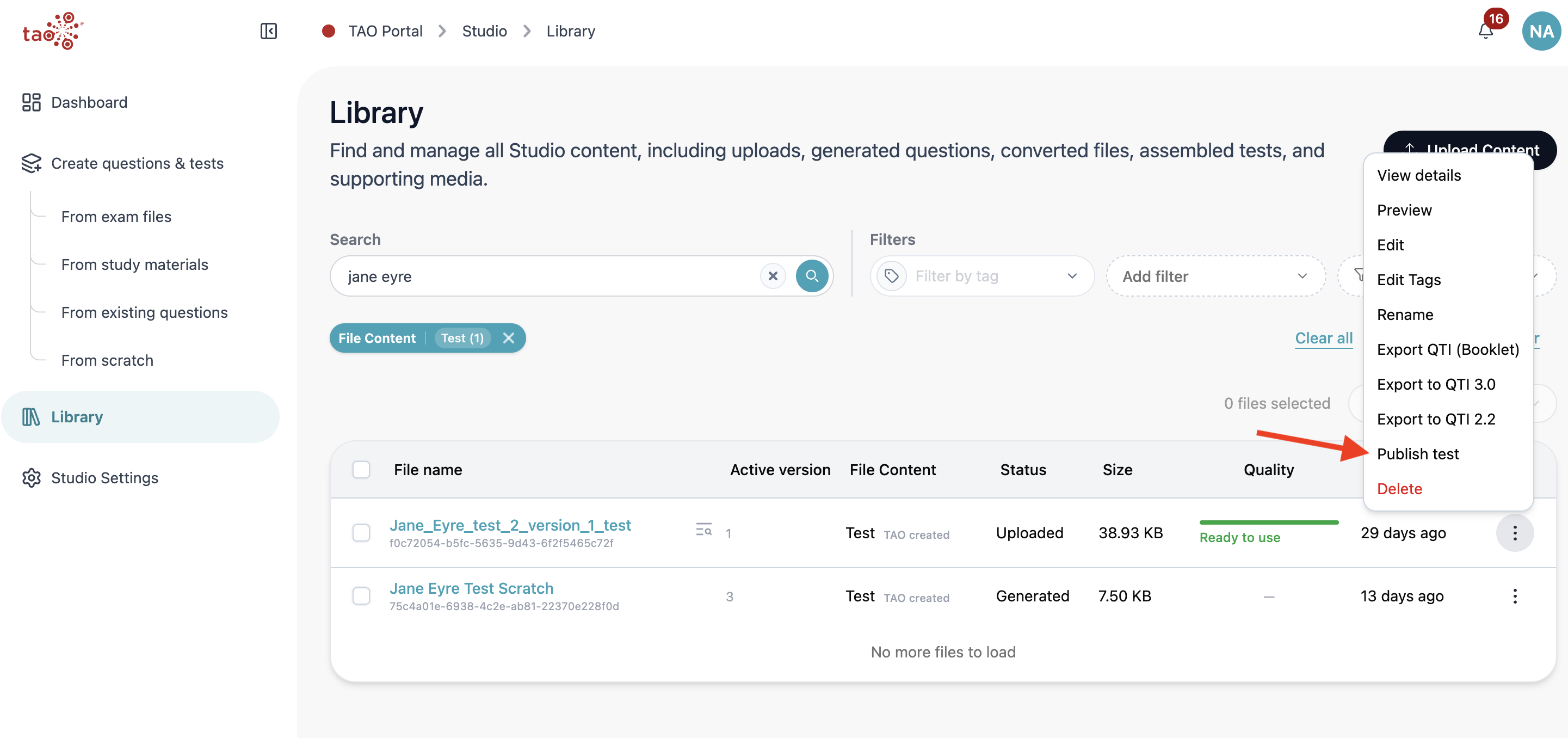
Click the ellipses action menu, under the Action column.
-
Select Publish test.
-
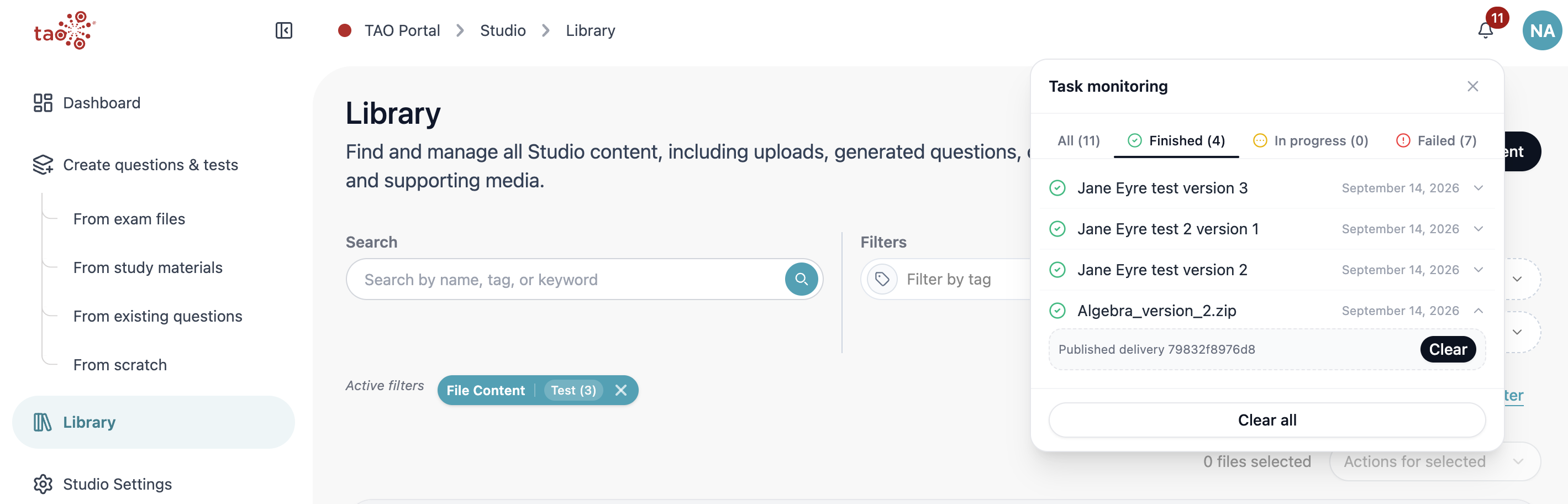
Wait for confirmation in the notification manager that the test was successfully published. It will appear under the green Finished tab, and the task’s dropdown will display the delivery identifier.
-
Return to the Portal via the header breadcrumbs.
-
The test will display in the Deliveries module and can be assigned to a session.