
This article introduces the basics of TAO Studio and guides you through the key concepts and tasks in the recommended order for getting started.
Accessing TAO Studio
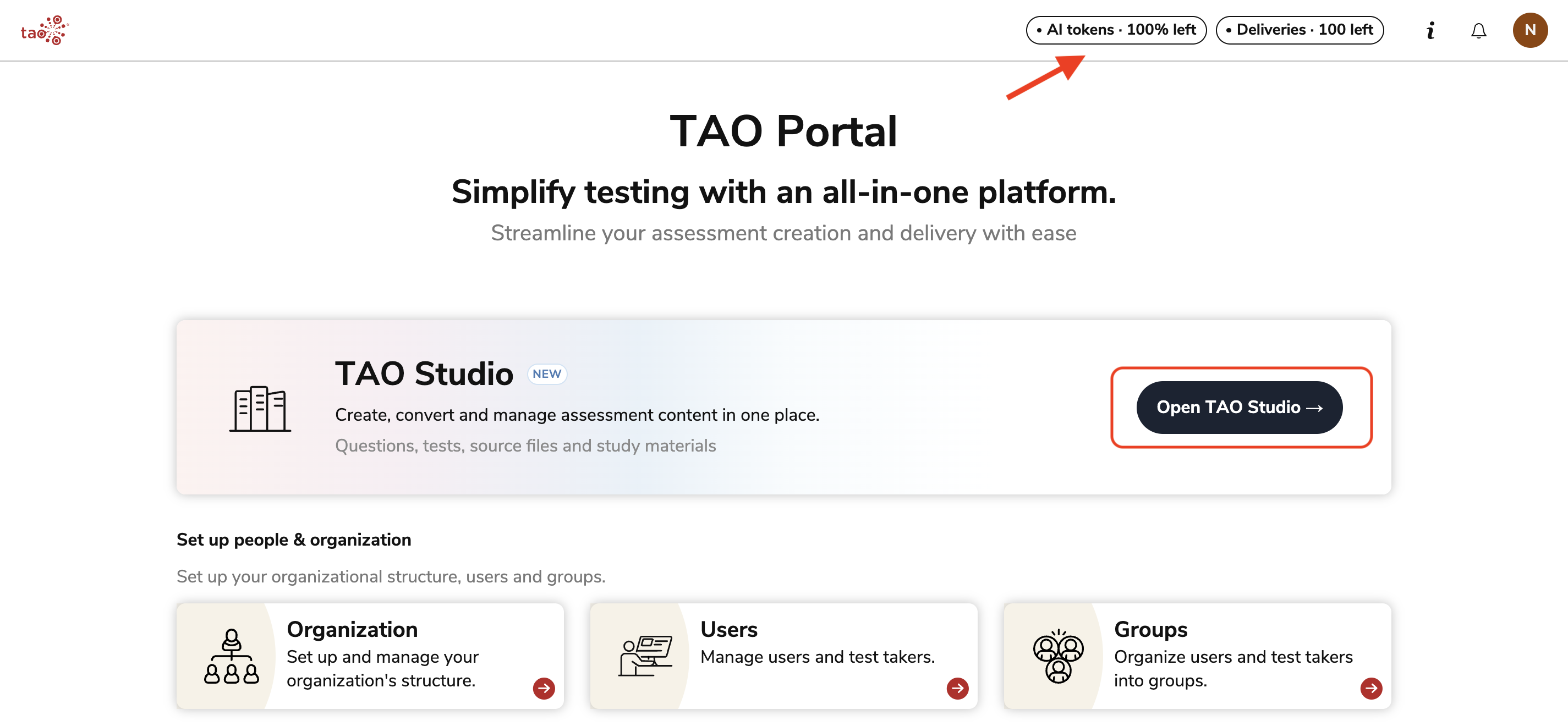
TAO Studio is accessed by clicking the first tile in the TAO Portal menu. While using the free account, you can view how many AI tokens (needed for generation and conversion actions) and deliveries you have available for creation.
Navigating the dashboard
Familiarize yourself with the layout of the home screen and menu options. For more information, see Navigating the dashboard.
Understanding how content is organized
Understanding how content is organized prior to beginning the creation process is a crucial piece of keeping your account and digital content easy to navigate.
TAO Studio stores everything in the one Library; with this structure, it is important that any content that is imported or created within the platform is tagged for easy retrieval.
Understanding tags and categories
Metadata, such as tags and categories, should be assigned to content that is created in or files that are imported into TAO Studio:
-
Platform-defined categories are available to all users during these activities; assigning values to them is recommended but not mandatory.
-
You can opt to use AI to fill metadata values.
-
You can create custom categories to organize and tag content according to your needs.
Configuring categories and tags describes the process of creating categories and configuring how tags within those categories will be assigned to content.
Designating tags and categories to specific types of content
Once you are familiar with your organization’s categories and tags, and know which types of content you will be working with, it is important to designate which types of metadata are applied to different types of content. For a full walkthrough, see Assigning categories for different types of content.
Creating content
TAO Studio provides multiple ways to create content to support different authoring needs and source materials. Depending on your existing files and how you prefer to author content, you can choose from several creation pathways for building individual items or complete tests.
Creating items
Conversion: Taking existing exam materials and generating digital copies of each question in the document.
Generation: Taking study materials (pages from a book, notes, etc) and generating digital questions that pertain to that material.
From scratch: This option allows you to author digital questions in a lightweight item editor.
Creating tests
Conversion: Taking existing exam materials and generating a digital test using the same questions.
Generation: Taking study materials (pages from a book, notes, etc) and generating a digital test/quiz that pertain to that material.
Building a test: There are two options which allow you to author a test using existing digital questions that have been previously stored in the TAO Studio library:
-
Creating a test project: This option directs you to a lightweight version of the test editor. Use this option to easily create simple tests with minimal customizations.
TAO Studio’s test project functionality is currently under development and offers a limited set of configuration options. However, it can be used to create and assemble simple tests.
-
Creating a test using the editor: This option directs you to the test editor, which offers the full range of editing capabilities.
Navigating the library
Once you have begun the creation process, the library grows rapidly. At this point, the assigned metadata for different entities used or created in each creation project defines the how that content is organized.
It is important to understand how to use the filtering system to locate different pieces of content, as the structure of the library is a flat list. For a full walkthrough, see Searching for content.
Publishing a test for use in a session
Once you have generated a test from study/exam materials, or built a test with questions from the library, you can publish the test as a delivery directly from the library. The test will appear under Deliveries in TAO Portal, and can be assigned to sessions at this point. For a full walkthrough, see Publishing tests created in TAO Studio.