
The TAO Studio library stores all content in a single list, making filtering, search, and metadata especially important for organizing and locating content. For each type of content imported or created in TAO Studio, you can configure which categories are available for tagging and specify whether a category must be assigned before the content can be added.
When importing or creating content, you will be prompted to enter metadata values for each entity used or generated. Mandatory categories are marked with a red asterisk:
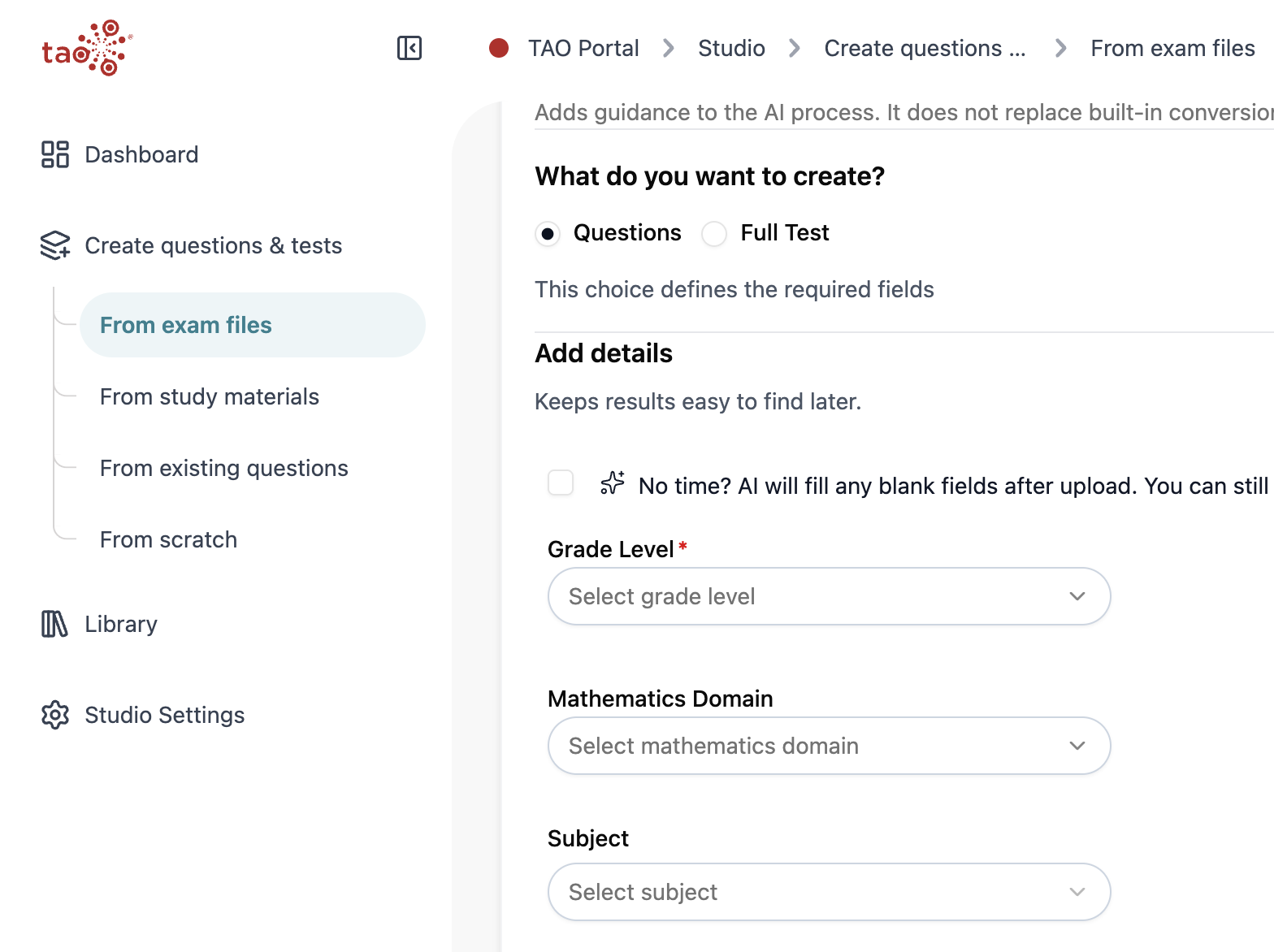
The categories that present during the process are designated by Studio Settings. To access the form listing all content types, select Studio Settings --> Content Organization --> File content
Configuring metadata according to content type
You can view any existing categories per content type beneath the title. Categories that are mandatory when creating or uploading that content type are marked by an asterisk*.
-
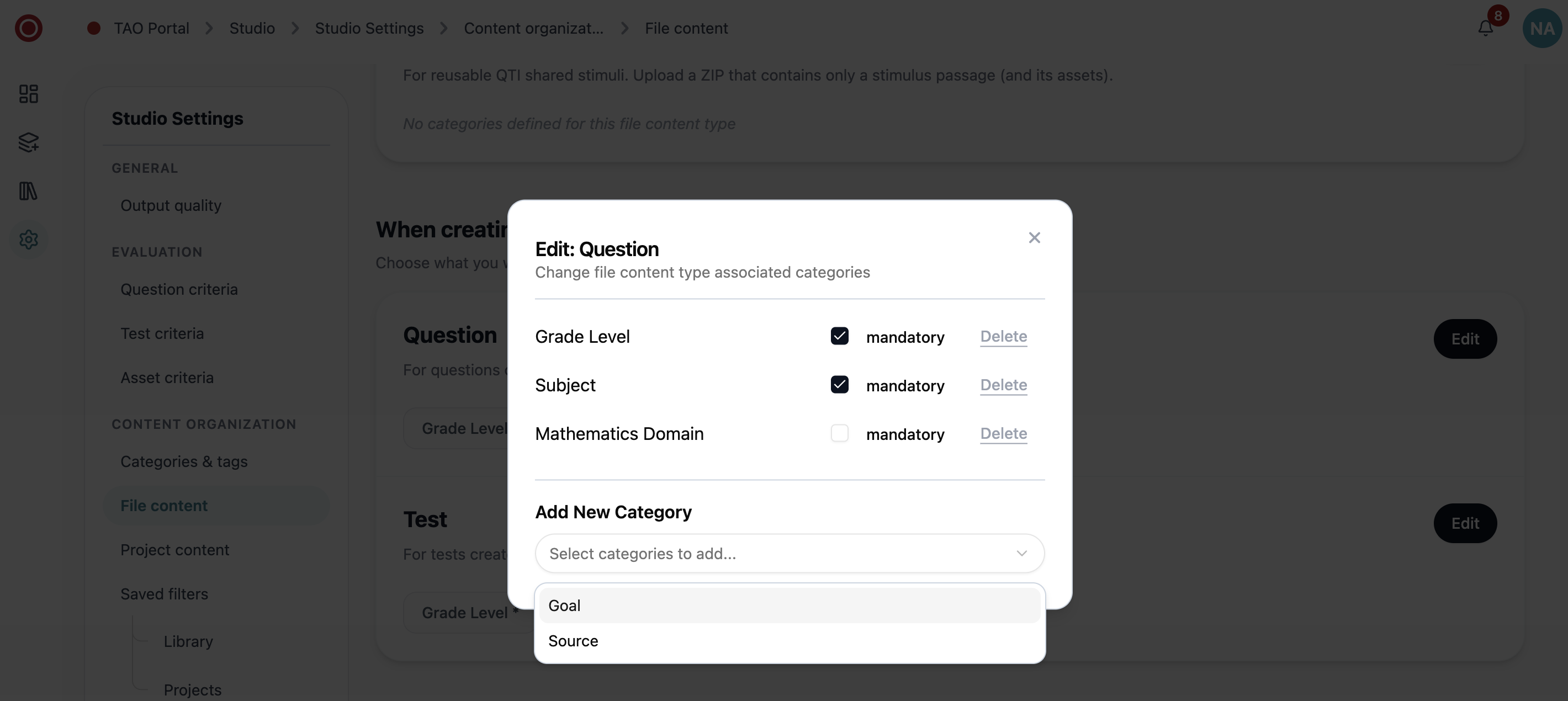
Next to a content type (such as When creating content > Questions), select Edit. Each category assigned to that file type is listed in the Edit view.
-
Click the dropdown below Add a new category. This menu contains all existing categories that were created either by the TAO Studio platform or by users in your organization.
-
Select a category to add it to the content type list.
-
For each category that is listed, you can make it mandatory by checking or unchecking the box.
-
Exit the Edit view. The new configuration will save automatically.
Defaults set in System Settings can be overridden by authors when creating a project.
Content types
Categories and tags may be added to source materials, questions, and tests when following one of the creation pathways. It is also important to add metadata when importing content into the library directly.
The content types are organized according to the which types are used/available when performing a certain activity:
When uploading a file
These content types apply to files that are imported or uploaded to TAO Studio. This includes files added as part of a conversion or generation project, as well as files uploaded directly to the library.
File types include:
-
Exam/question files
-
Study materials
-
Assets (images/audio files)
-
PCI packages
-
Shared stimulus (passages)
When creating content
These content types apply to questions or tests that were:
Generated by application (deliveries)
Deliveries are the published, usable versions of tests created within TAO Studio.
AI-generated category tags
Whenever you are prompted to enter values/tags for categories, there is an option to use AI to fill in the categories for you.
Note that AI-based categories and manual selection can be combined. For example, you can manually select a tag for a category (i.e, a specific grade level) and then check the AI option to leave all other present categories to be populated automatically.