
🎉 TAO January 2026 Release Highlights! 🎉
Real-time maximum number of points rendering
Added a Maximum Number of Points table in Test Authoring that shows total, category, and weighted scores for a test. This table updates instantly as you change items or scoring.
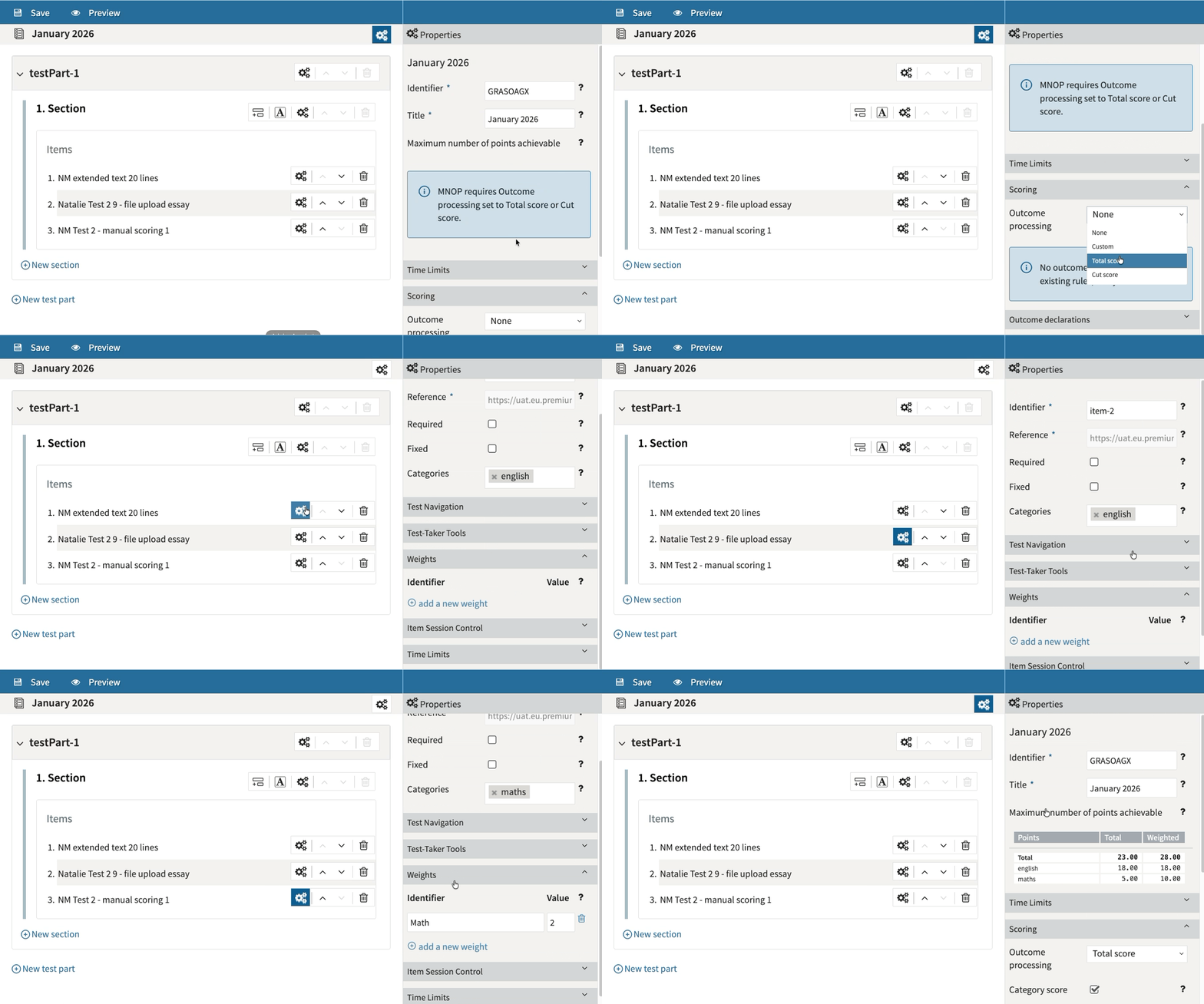
For more information, see Configuring scoring for tests.
Multi-stage adaptive testing editing options
New Path and Prerequisite editors let authors configure adaptive test flows visually, using score-based rules between test parts, making multi‑stage adaptive testing easier to set up.
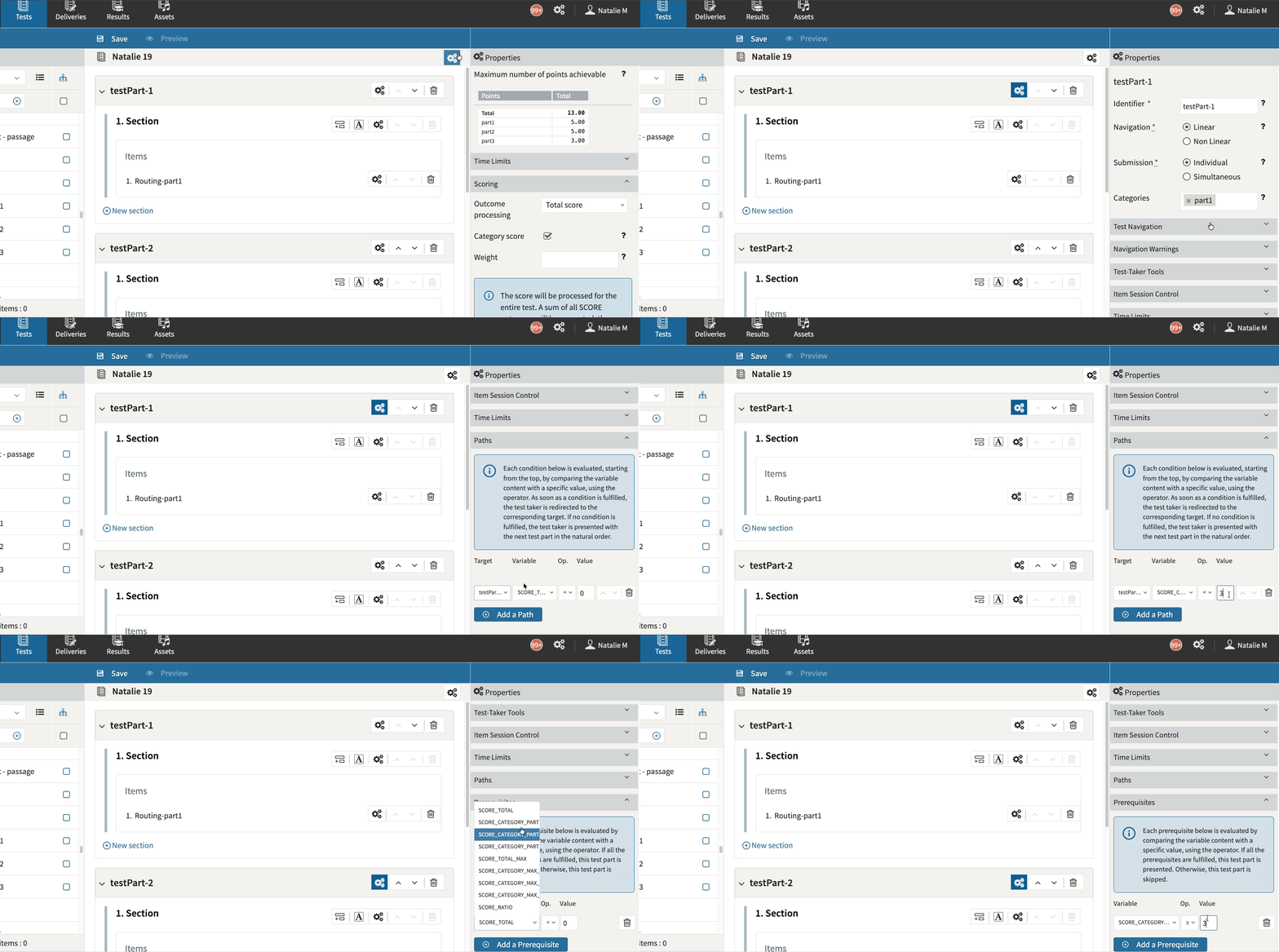
For more information, see Adaptive testing options.
System Settings
Introducing System Settings, a new powerful configuration area in TAO Portal which allows system administrators to perform account-wide changes to the behavior of the TAO platform.
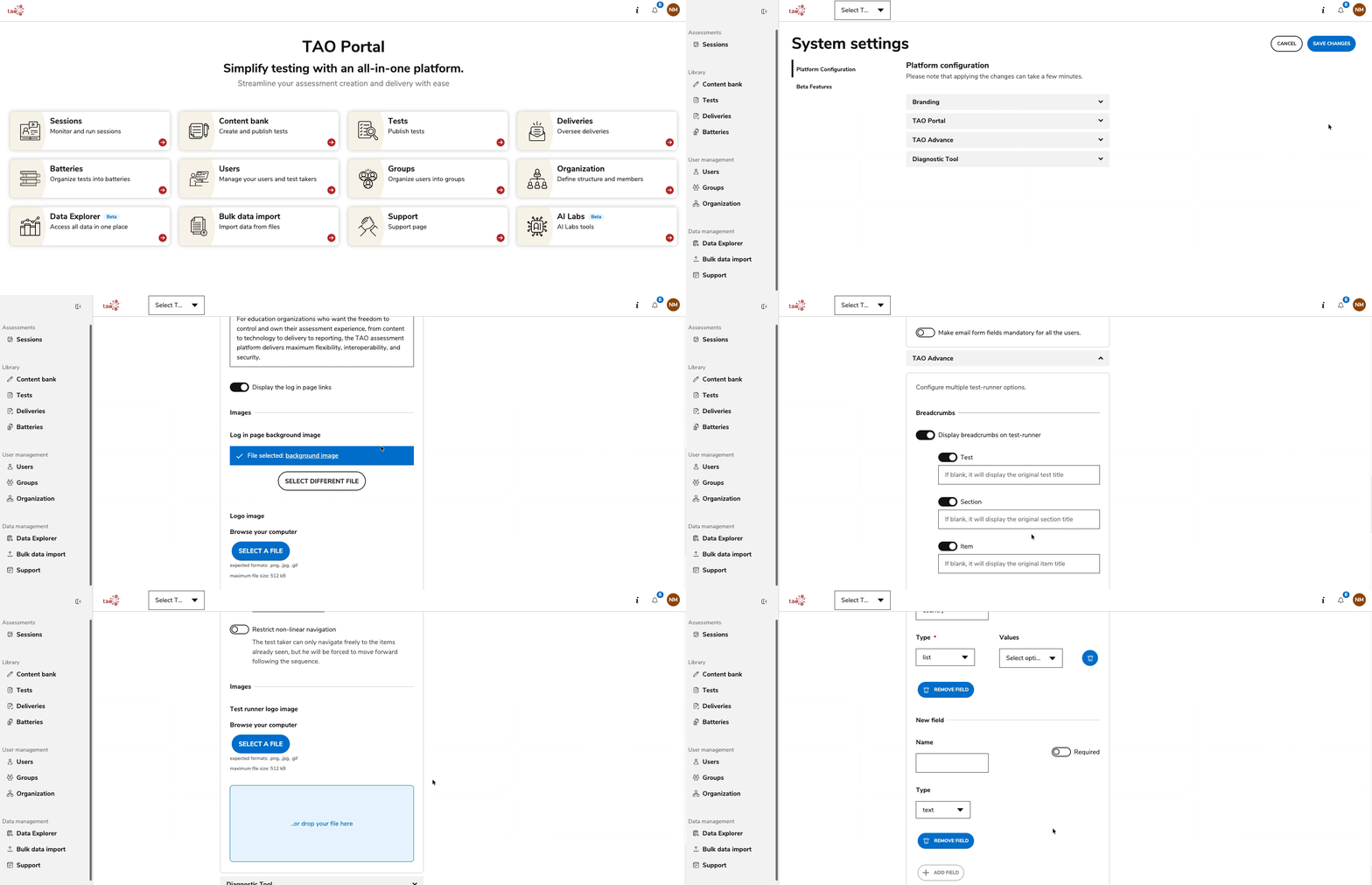
For more information, see System Settings.
Release enhancements
TAO Authoring Updates & Fixes
-
Modal feedback displayed in Test Preview: Modal feedback is now displayed in the Test Preview, bringing the preview closer to the actual experience of a test-taker.
-
New underline options: Authors can now add wavy or dashed underlines via new options in the Authoring editor, improving nuance and clarity for learners in both horizontal and vertical text views. For more information, see Word processing options.
-
Bug Fix: Fixed an issue that occurred when the user tried to add an image to the interaction body of a Gap Match Interaction or Hottext interaction, which lead to an invalid QTI item.
-
Bug fix: User without the "grant" permission for a resource was automatically provided with the "Grant" permission behind the scenes, as long as it had any permission on the resource.
-
Bug fix: In some rare instances, when trying to export a copy or duplicate of a passage with some custom styling applied, the operation could not be properly executed.
TAO Advance Updates & Fixes
-
Automatic test part submit on timer expiration: When a timed test Part ends, TAO Advance can now automatically submit and move to the next part, avoiding blocking pop‑ups and keeping test takers in a smooth, uninterrupted flow. For more information, see Test Part settings.
-
Optional IP-based security controls: Added optional security controls to TAO Advance that (1) enforce a single active test session per test taker (new sessions close the previous one) and (2) pause an ongoing session when a change in public IP is detected, requiring proctor intervention to resume. To configure these behaviors for your environment, please speak to your Account Manager.
-
Notification before timer expires: TAO Advance can now be configured such that the test-taker is notified of the number of minutes left before a timer expires at the test level. To configure this behavior for your environment, please speak to your Account Manager. For more information, see Test settings.
-
Bug Fix: Improved the reliability of detecting when the test-taker tries to perform actions outside of a full screen mode, particularly in situations where multiple monitors are used and the user attempts to perform actions on the second monitor.
TAO Portal Updates & Fixes
-
Custom fields for the Diagnostic Tool: When the diagnostic tool is enabled, account administrators can configure custom fields in the system settings to collect information from users. The collected values can then be used to filter and analyze the captured diagnostic data.
-
Bug Fix: The Notification Center in TAO Portal now includes download links for notifications with attachments. For more information, see Managing your TAO Portal account.
-
Bug Fix: Changing the password for the current user led to validation errors, even when the constraints were followed correctly.
These updates aim to enhance usability, efficiency, and the overall TAO platform experience. We welcome your feedback and remain committed to continuous improvement. Thank you for your support! 🚀