
🎉 TAO May 2026 Release Highlights! 🎉
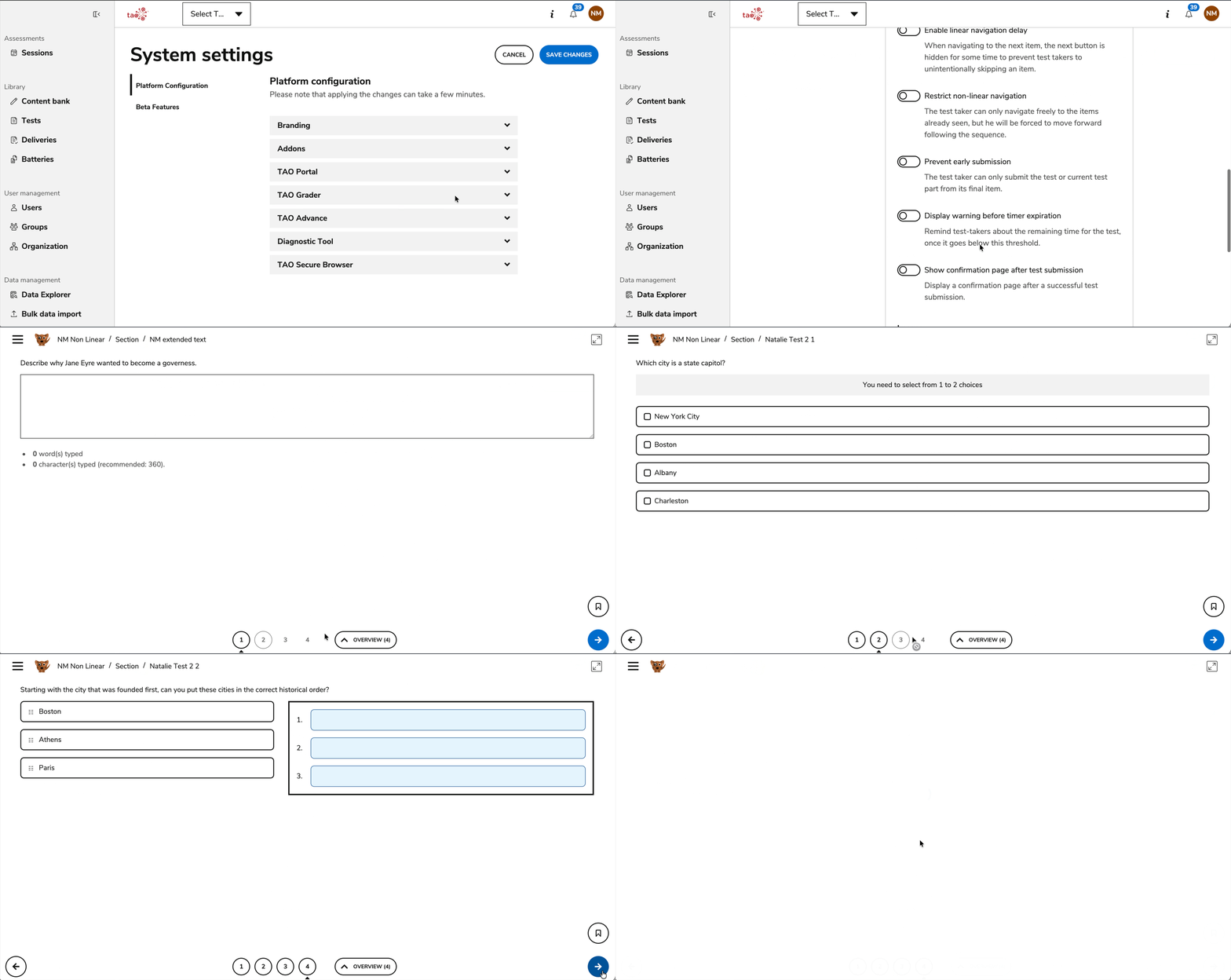
Prevent early submission during a session
A System Settings configuration that prevents test-takers from submitting a test part if they are not on the last item in that test part is now available. For more information, see System Settings - TAO Advance.
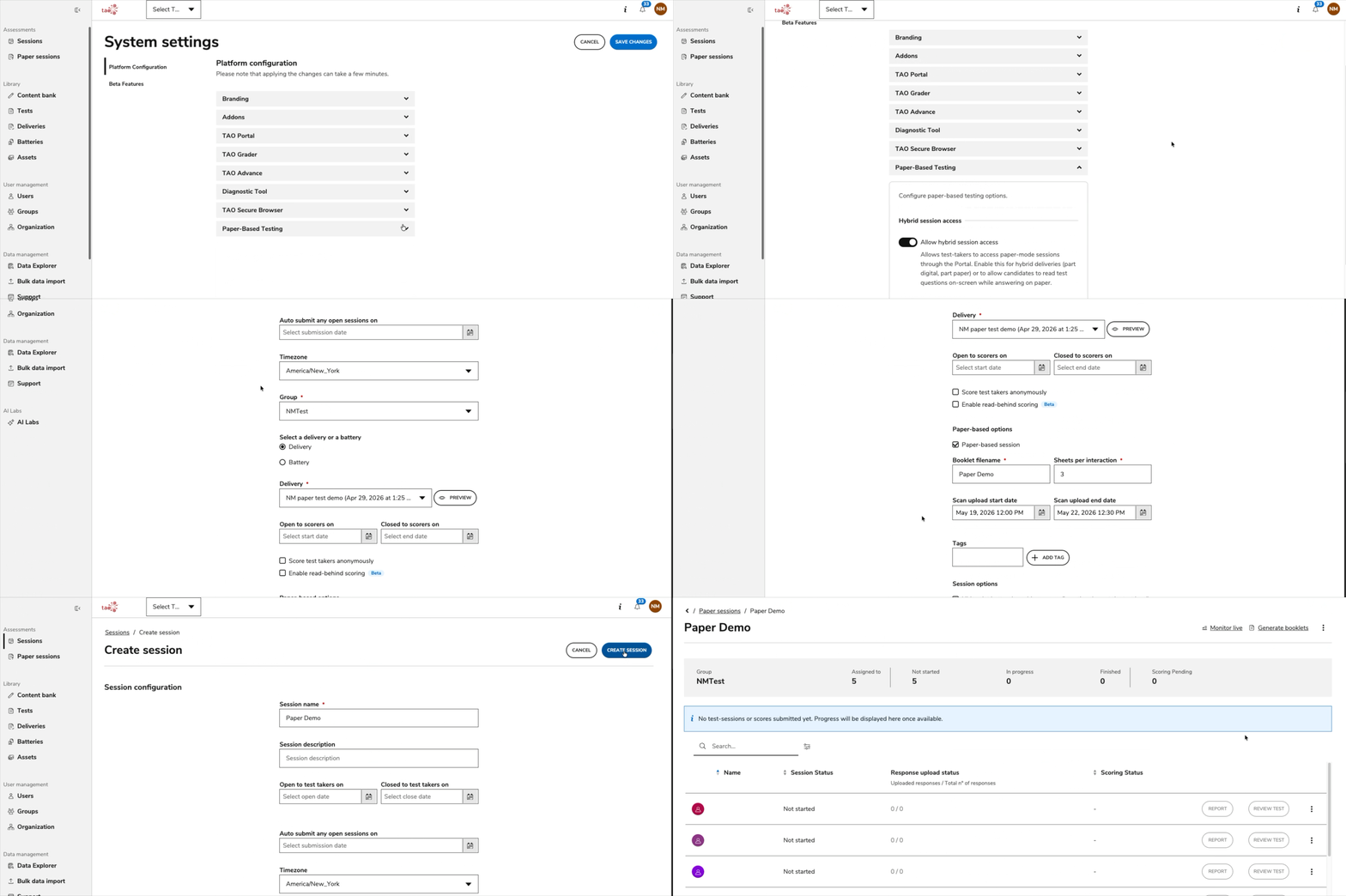
Improved paper-based testing workflow
Various improvements have been made to the user experience of the recently introduced paper-based testing feature. For more information, see Paper-based sessions.
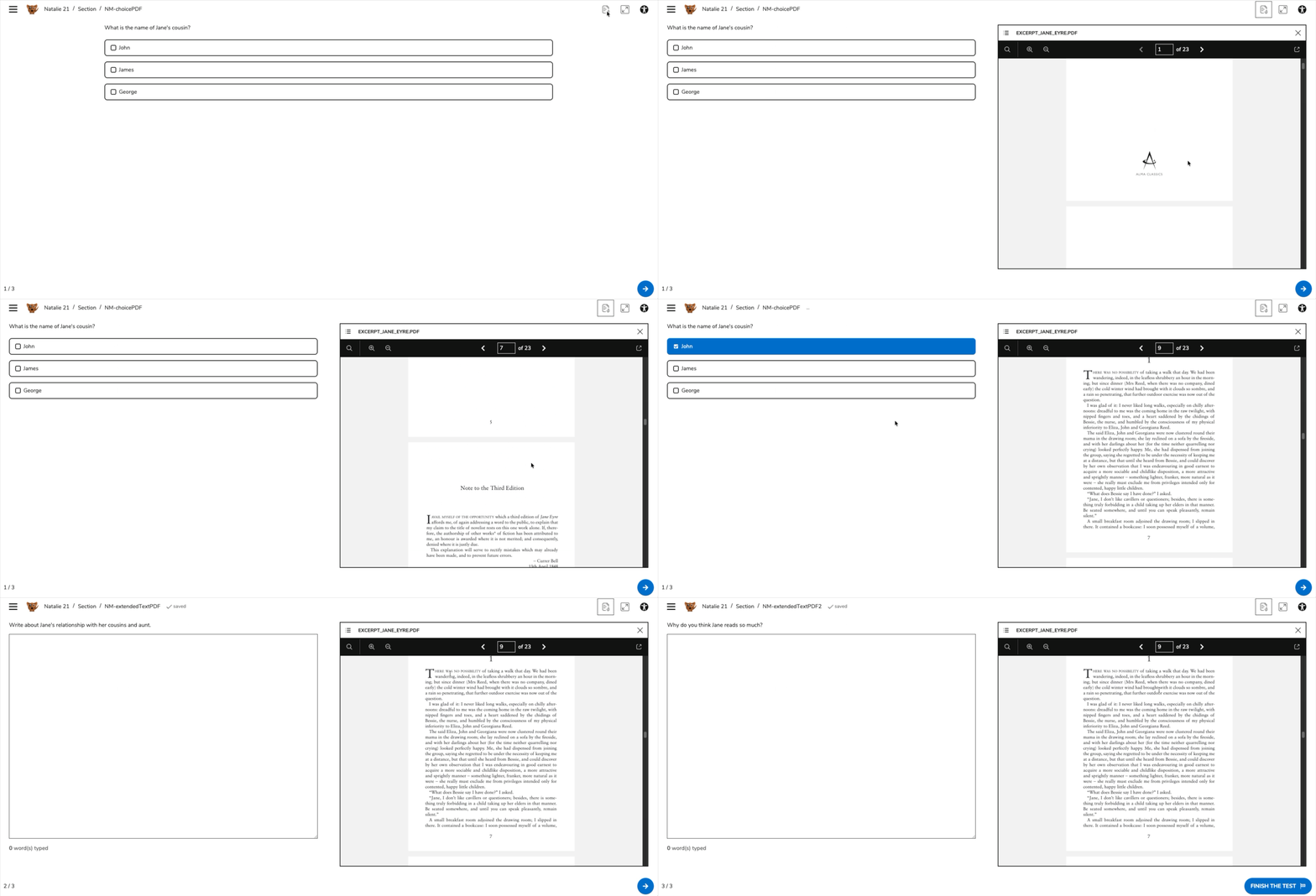
Improved navigation for items with attached PDFs
Whenever the same PDF is attached as assets to several items in a test, navigating from one of those item to the other will keep the position within the PDF identical during navigation. For more information, see Assets in Experimental features.
Asset attachment for tests is a beta feature.
Release enhancements
TAO Authoring Updates & Fixes
-
Removed submission type configuration for the test: Since the introduction of TAO Advance, the submission mode for test Part settings became obsolete. This feature’s configuration is now completely removed on the test authoring side. For more information, see Test Part settings.
-
Better support for manual scoring configuration for Audio PCIs: Item authors can now manage outcome declarations for Audio PCIs, leading to an improved flexibility for manual scoring configuration. For more information, see Audio Interaction.
-
New math editor enabled by default: The Wiris MathType editor is now the default math editor in item authoring. For more information, see Using math expressions.
-
Bug fix: Classes (folders) and items are no longer mixed together in the test assembly item library. Classes (folders) are shown first instead, followed by items, just as in the regular item browsing panel.
-
Bug fix: Ruby tags were inadvertently rendered as normal text within the item / test preview when part of a passage. These tags now display correctly.
TAO Portal Updates & Fixes
-
Better support for special characters input in System Settings: Improved support for saving certain special characters as part of text fields in System Settings.
-
More flexibility for configuring date ranges: Starting dates for sessions can now be set in the past, both during creation and while editing those sessions. For more information, see Creating a session.
-
Group Viewer group role: Use the Group Viewer role (in combination with the CSV only global role of Data Explorer viewer) to give users limited access to Data Explorer data (and read-only session data) for specific groups only. For more information, see Global and group roles.
-
Improved wording in System Settings: Updated the naming conventions for some newly introduced System Settings configuration options.
-
Bug fix: Changes done in System Settings were not always properly saved, and sometimes the platform reverted to its previous state.
-
Bug fix: Administrators were unable to import new Organizational Units through CSV import, despite this process being available from the TAO Portal’s user interface.
-
Bug fix: Addressed a security issue which allowed certain Admin users to import Organizational Units under a restricted OU through CSV import.
-
Bug fix: Fixed an issue where, in the session overview panel, an incorrect scoring status displayed for test takers who completed tests requiring manual scoring when a session contained a battery.
-
Bug fix: Some users were inadvertently redirected to the Sessions management page after login (instead of the default landing page in TAO Portal).
TAO Advance Updates & Fixes
-
Less false positives for the Diagnostic Tool: Backend changes were applied to the way the Diagnostic Tool validates access to certain prerequisite protocols, such as the WebSockets, to avoid getting false positives when testing the network conditions.
-
Bug fix: Fixed an issue where entering fullscreen mode on iPads prevented candidates from entering text by pausing the test when the keyboard displayed.
Security improvements
-
Fixed a critical security vulnerability affecting authentication validation logic. The issue was identified during internal security assurance activities and has been fully remediated. No evidence of exploitation in production environments has been identified, and no customer action is required.
These updates aim to enhance usability, efficiency, and the overall TAO platform experience. We welcome your feedback and remain committed to continuous improvement. Thank you for your support! 🚀