
🎉 TAO June 2026 Release Highlights! 🎉
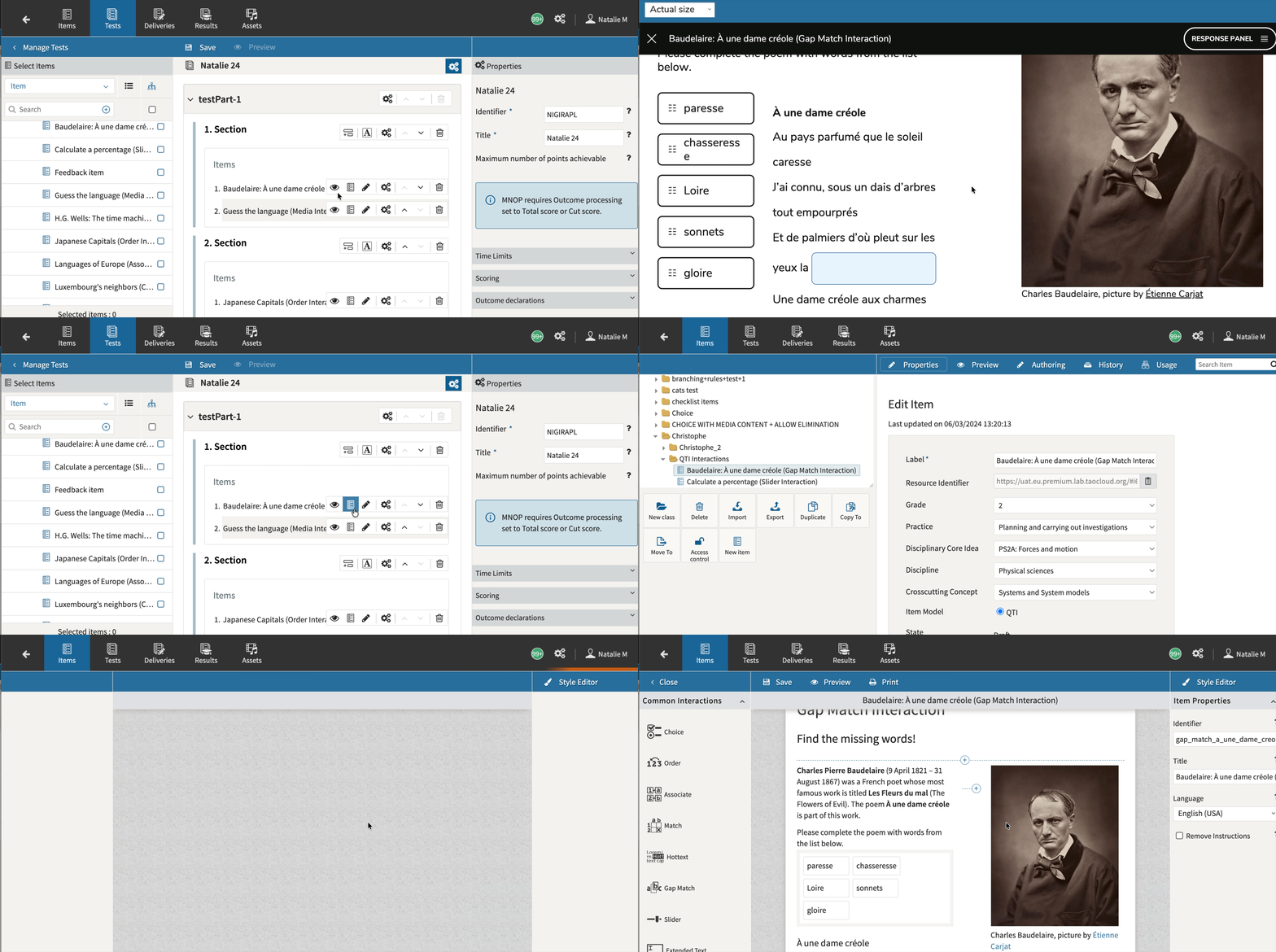
Directly access any item used in a test
Authors can now access any item during Test Assembly. They can go to the item’s location in the library, preview it, or open it in a new tab to update or review it.
For more information, see Creating a test.
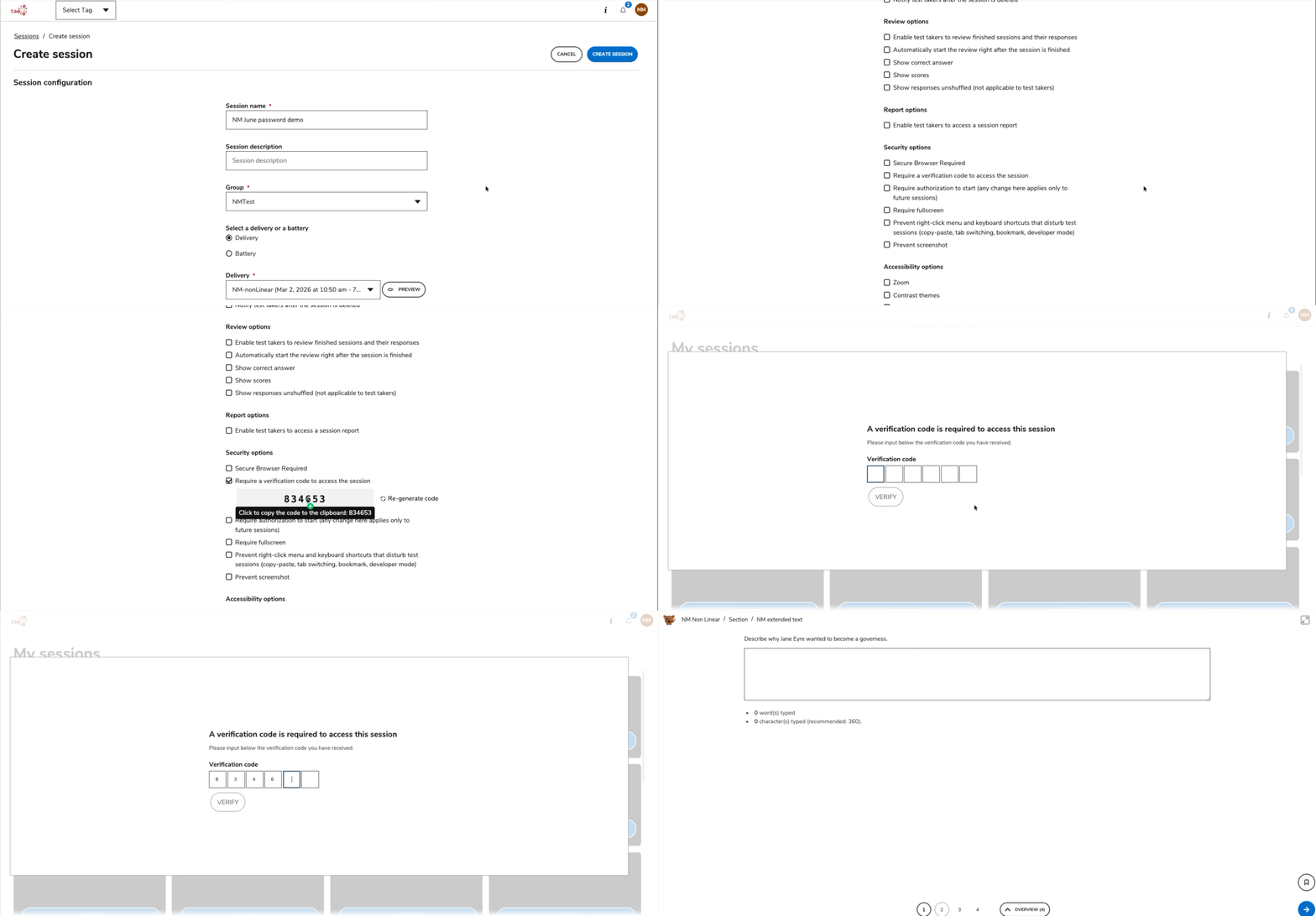
Protect sessions with a password
You can now configure sessions to require test-takers to enter a password before starting. This bolsters security and ensures only authorized test-takers access the session. Previously, this capability was only available for batteries.
For more information, see Creating a session.
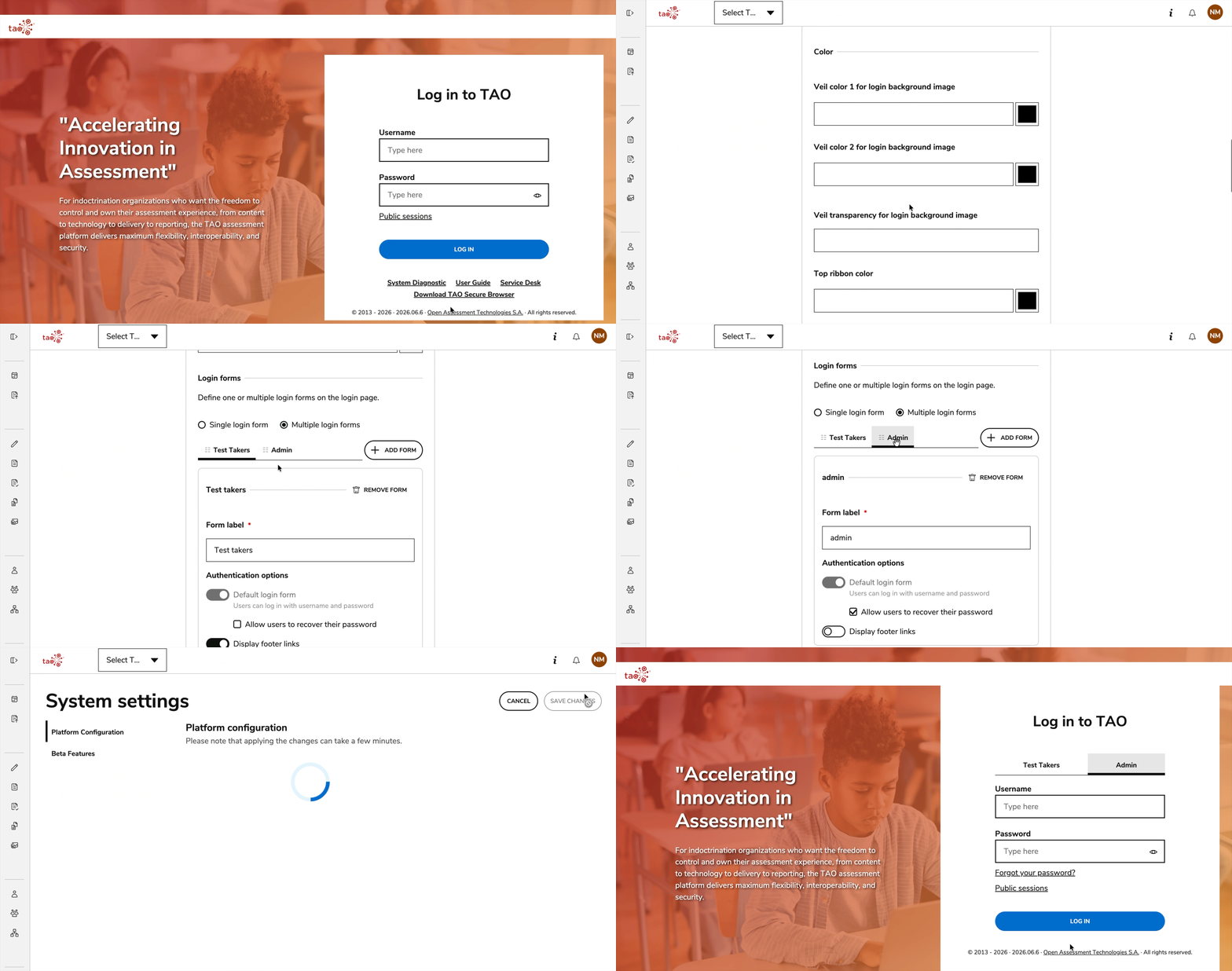
Add customized login forms for the TAO Portal
Administrators can now configure (in System Settings > Branding) different login templates to be used for users authenticating into TAO Portal.
For more information see System Settings.
Release enhancements
TAO Authoring Updates & Fixes
-
New item & test previewer: An improved version of the item and test preview is now available for authors. The new version addresses some of the missing functionalities, such as accessing test-takers tools during the test preview, seeing the defined timers, using custom theming, previewing various navigation behaviors, seeing the custom attempts behavior, and more. This new version brings the experience of the item and test preview much closer to what a test-taker would experience during their test. For more information, see Previewing a test.
-
Show which deliveries are published for a test (and vice versa): Authors can now quickly see which deliveries are published for a test and which test was used for each delivery. For more information, see Viewing a test’s usage.
-
Bug fix: During Test Assembly, the items are no longer mixed with folders in the items selection panel.
-
Bug fix: Correct responses are now able to be defined within the Order Interaction.
-
Bug fix: The gap size can now be correctly configured in the Math Entry PCI.
TAO Portal Updates & Fixes
-
Daily schedule for session availability: Session administrators can define a daily schedule for session availability. They can specify days of the week and up to two time slots per day to restrict session access to test-takers during those times. For more information, see Creating a session.
-
Bug fix: If a user was created without a role, editing that user later was inadvertently deactivating them.
-
Bug fix: Corrected cases where the Session Distribution graph in a session report showed incorrect test-taker counts when using a battery.
TAO Advance Updates & Fixes
-
More flexibility for timer warnings: When the “Display warning before timer expiration” option is enabled in System Settings, the notification is now displayed for any timer configured at any level in the test. Previously, only timers defined at the test level were triggering such a notification. For more information, see System Settings.
-
Bug fix: Opening a calculator or scratchpad while a test-taker views an included attachment (such as a PDF) was inadvertently closing the attachment.
These updates aim to enhance usability, efficiency, and the overall TAO platform experience. We welcome your feedback and remain committed to continuous improvement. Thank you for your support! 🚀