
The test Usage report feature provides content developers and admins with the ability to identify which published deliveries the test has been used in.
Prerequisites
This feature is only available for TAO Ignite.
Accessing test Usage
There are two options for viewing how many deliveries a test was used in:
-
Test-to-Delivery: Authors can instantly view all deliveries associated with a specific test, resolving previous limitations regarding publication status.
-
Delivery-to-Test: Authors can reverse the search to identify the exact test used to generate a specific delivery.
Test-to-Delivery
-
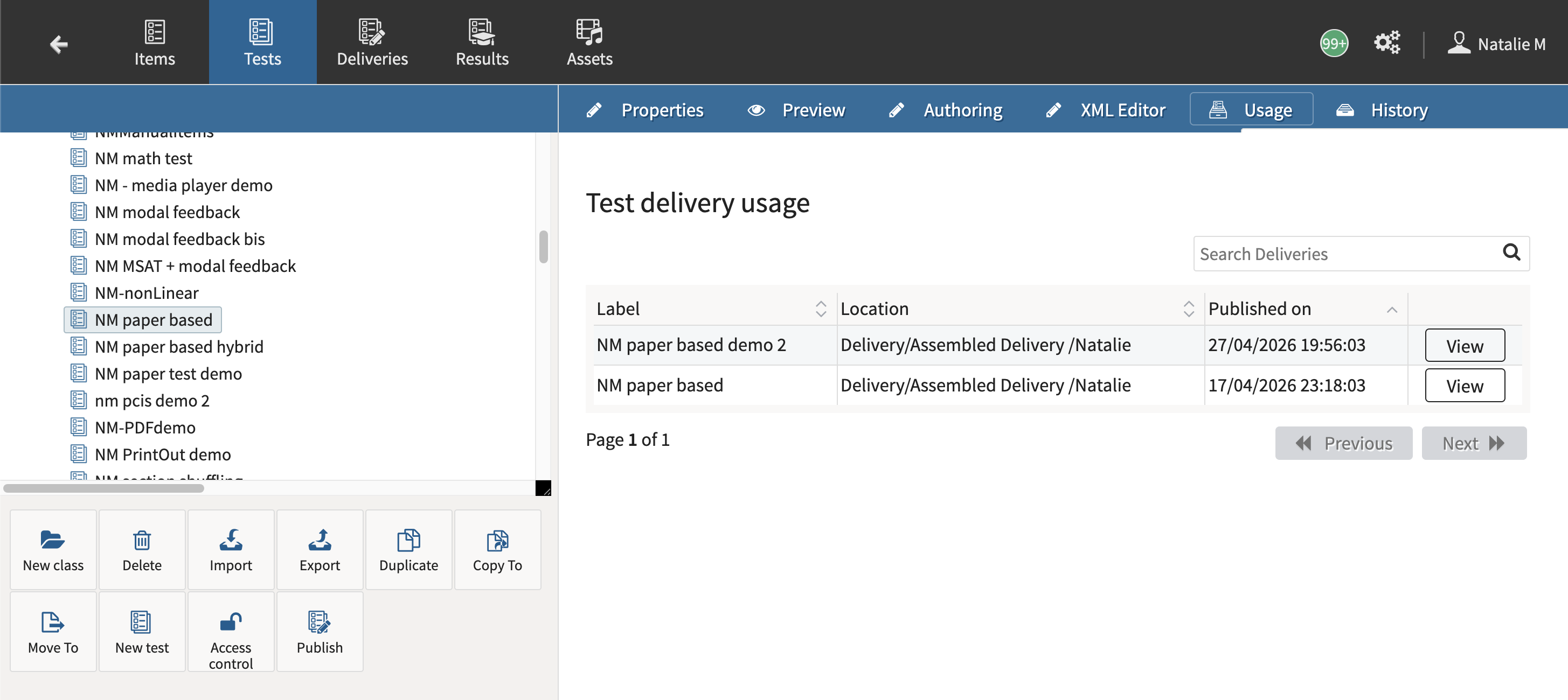
In the Tests window of the Content Bank, select an test in the menu on the left of the interface.
-
Select Usage.
-
The list displays all deliveries published for that test.
-
Click View to be redirected to a particular delivery.
-
Delivery-to-Test
-
In the Deliveries window of the Content Bank, select an delivery in the menu on the left of the interface.
-
Select Usage.
-
The test used for that delivery will display.
-
Click View to be redirected to that particular test.
-