
🎉 TAO March 2026 Release Highlights! 🎉
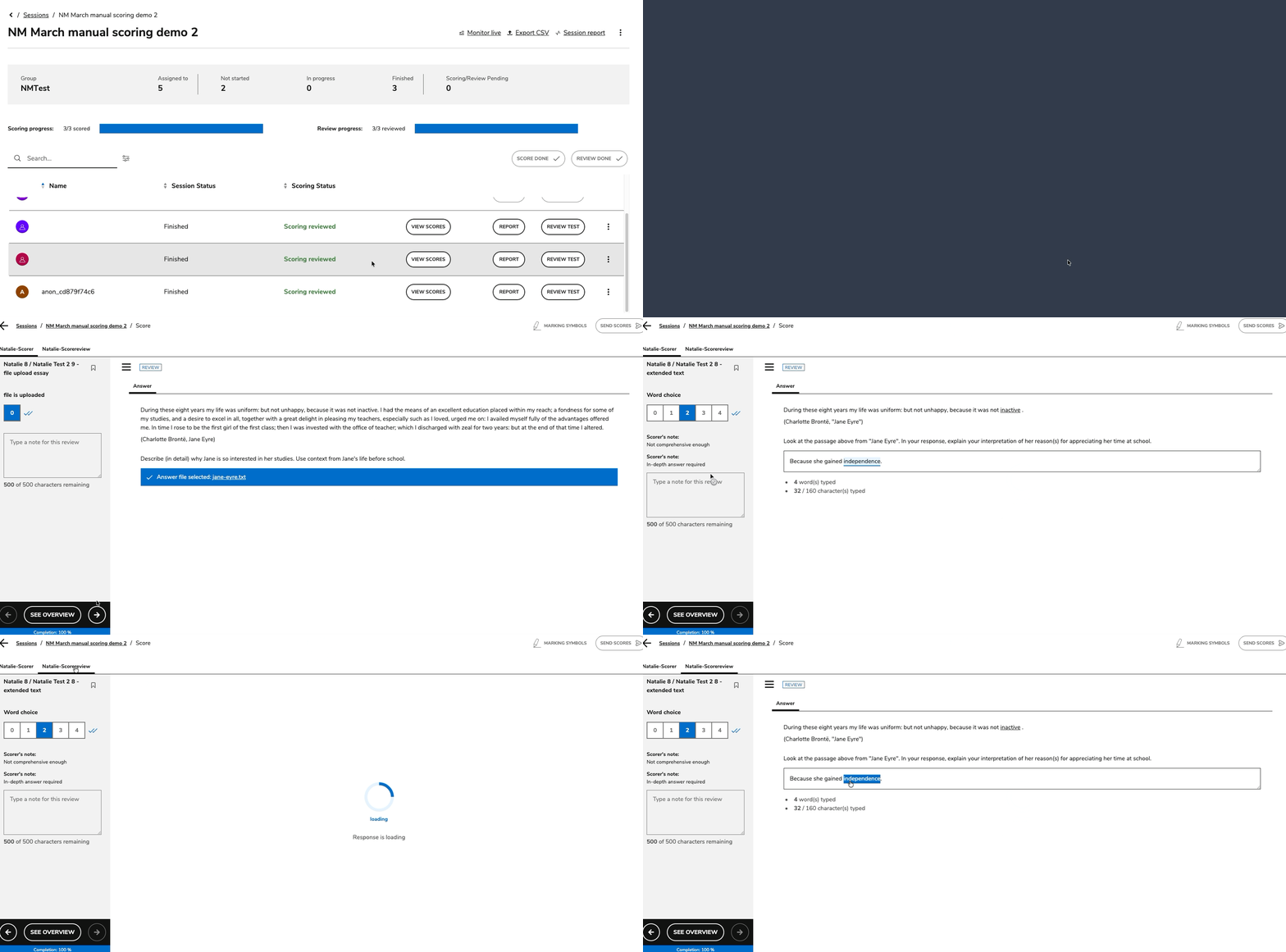
Read-only review mode for sessions with manually scored items
Scorers, score reviewers, group managers, and administrators are now able to view submitted scores and annotations without reopening the grading interface and/or modifying scoring data. This feature is available for sessions with submitted grading, via the View Scores button. The View Scores interface varies depending on the user’s assigned role.
For more information, see Reviewing manually scored assessments.
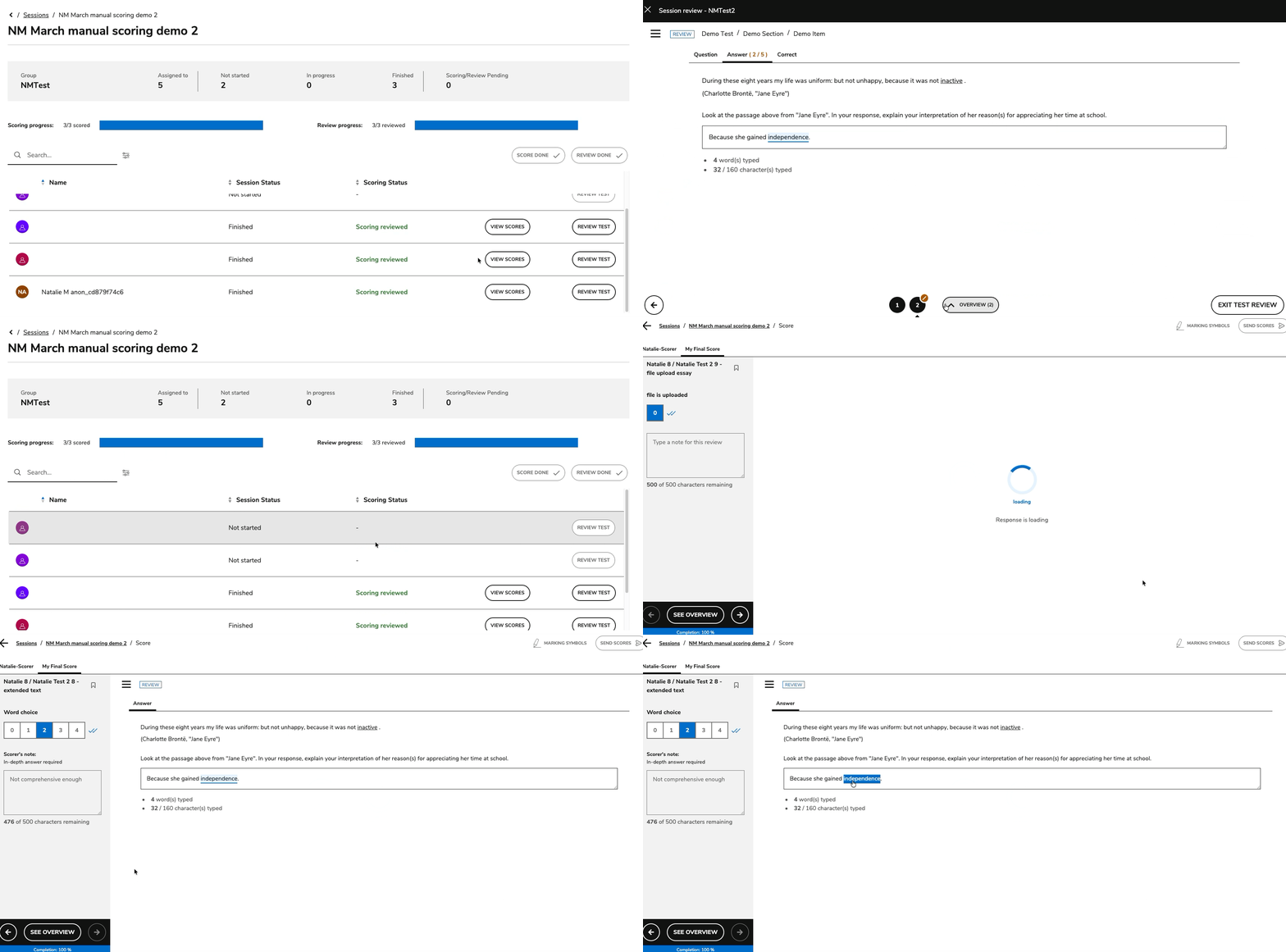
Score reviewers are now able to see the original scorer’s annotations
Score reviewers will be able to see the original scorer’s highlights and notes when they view a manually scored item (via the View Scores > Scorer tab if read-behind scoring is enabled, or in Test Review > Answer tab).
For more information, see Reviewing scores (read-behind scoring).
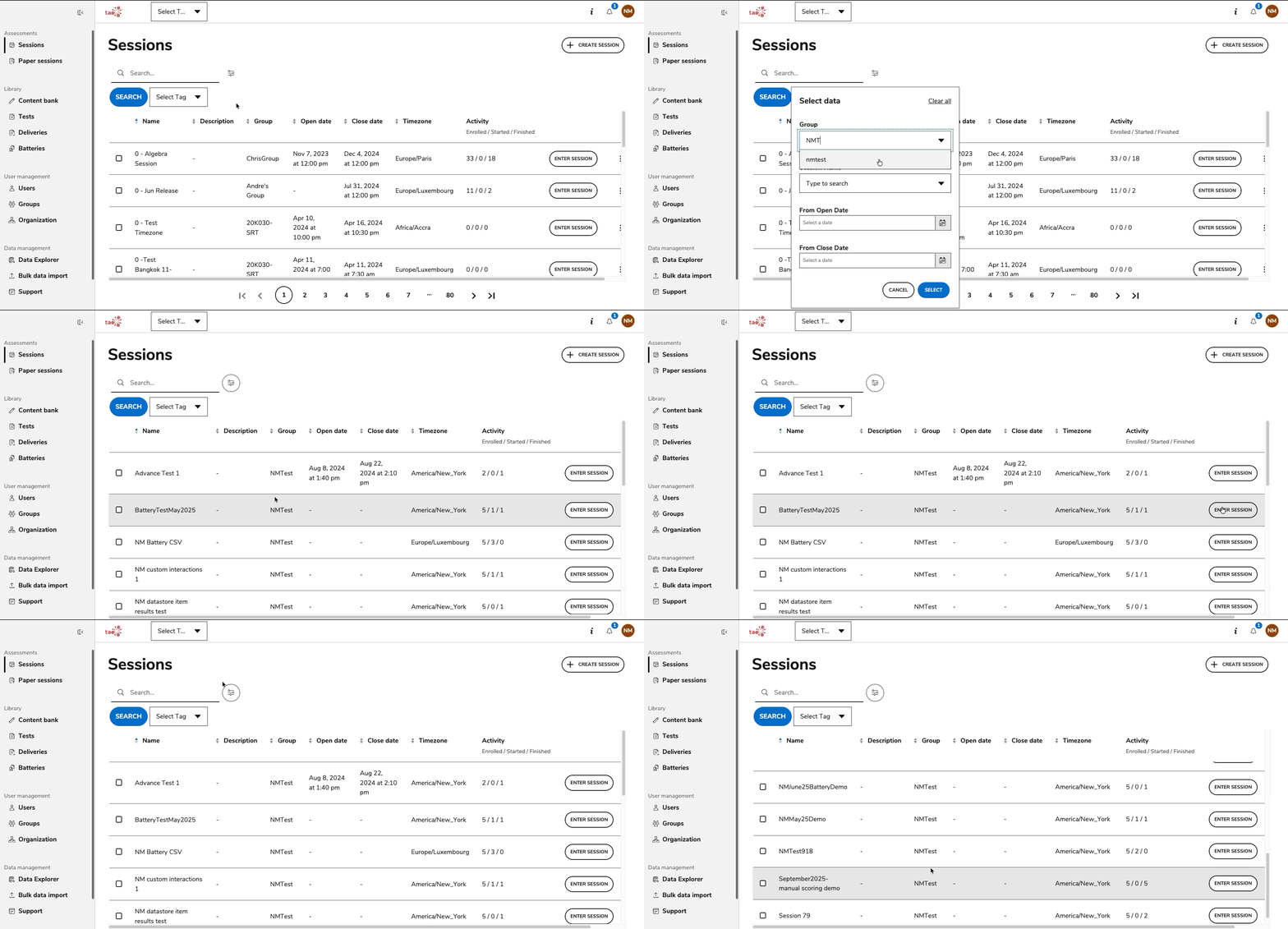
Improved Portal navigation by retaining filters applied to lists
Search filters are now retained for users returning to various lists in the Portal (such as Sessions, Groups, Users). This improves the user experience as it allows for instance proctors to view only sessions that are relevant to them until filters are cleared or they log out.
Release enhancements
TAO Authoring Updates & Fixes
-
Media interaction improvements: Added improvements to media interactions, such as enabling automated audio playback sequences with configurable repetitions and pauses. For more information, see Media Interaction.
TAO Portal Updates & Fixes
-
Disable the test taker’s ability to change their passwords: Administrators now have the ability to disable the “reset password” function for all users enrolled as test takers in their organization. This feature is available in System Settings under the TAO Portal dropdown. For more information, see System Settings.
-
Marking symbols for scorers: Administrators now have the ability to choose between the existing highlighter tool or the new marking symbols to determine which tool scorers in their organization have access to. This feature is available in System Settings under the TAO Grader dropdown. For more information, see System Settings.
-
Bug fix: Fixed issues with hierarchy CSV imports. Values for the Organization IDs columns (organizationId) are now treated as case-sensitive, duplicate OU IDs are prevented, user/group OU associations are validated, and resources without an organization ID default to the Root hierarchy when permitted.
-
Bug fix: Fixed an issue where the “Time spent per question” graph in the Session report (for an individual test taker) was not displayed for tests using item selection (randomized item selection within a section). The graph now appears correctly regardless of whether item selection is enabled.
These updates aim to enhance usability, efficiency, and the overall TAO platform experience. We welcome your feedback and remain committed to continuous improvement. Thank you for your support! 🚀