
Administrators and group managers can export all results associated with a specific delivery across sessions and executions into a consolidated CSV report.
-
Enter the Deliveries module of the Portal. For more information on the Deliveries area of the Portal, see Using deliveries in the TAO Portal.
-
Click the ellipses button (…) in the row of the delivery to view the action menu.
-
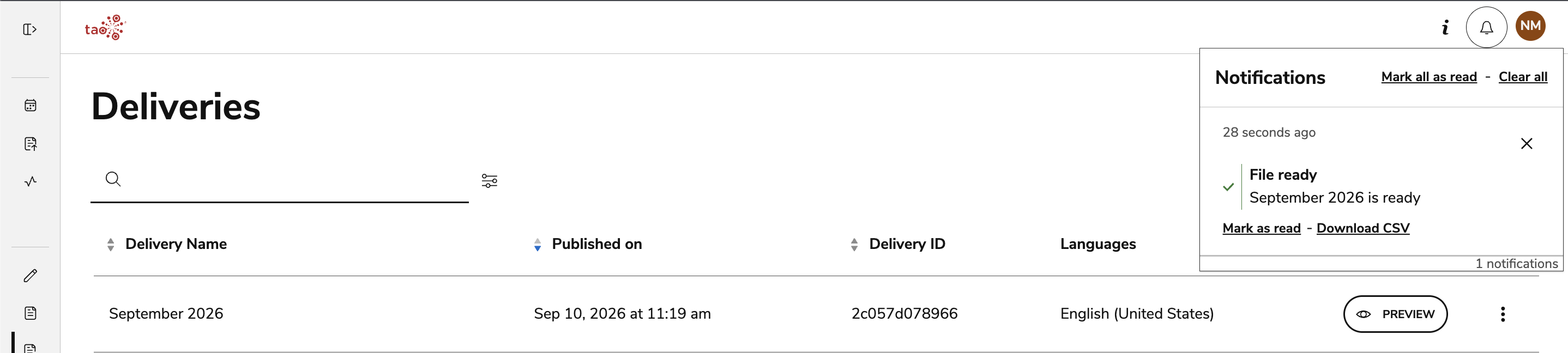
Select Export results. You will be notified when the file is ready for retrieval.
-
Select Download CSV from the notification manager.
-
The CSV will display results for all sessions associated with the delivery.
-
Individual test takers' usernames will be listed in the first column login. Their personal name will be listed under the userName column.
-
The list is sorted top to bottom from the earliest dates to the latest dates respectively, under the sessionStartTime column.
-
The CSV follows the same structure as exporting CSV results for an individual session. For descriptions of the CSV fields/columns, see Exporting and interpreting CSV session results.
-
The exception is that CSV results for a delivery will contain two additional fields/columns, located on the right side of the table:
-
Session ID: The internal identifier of the session.
-
Session Name: The name of the session.
-
-