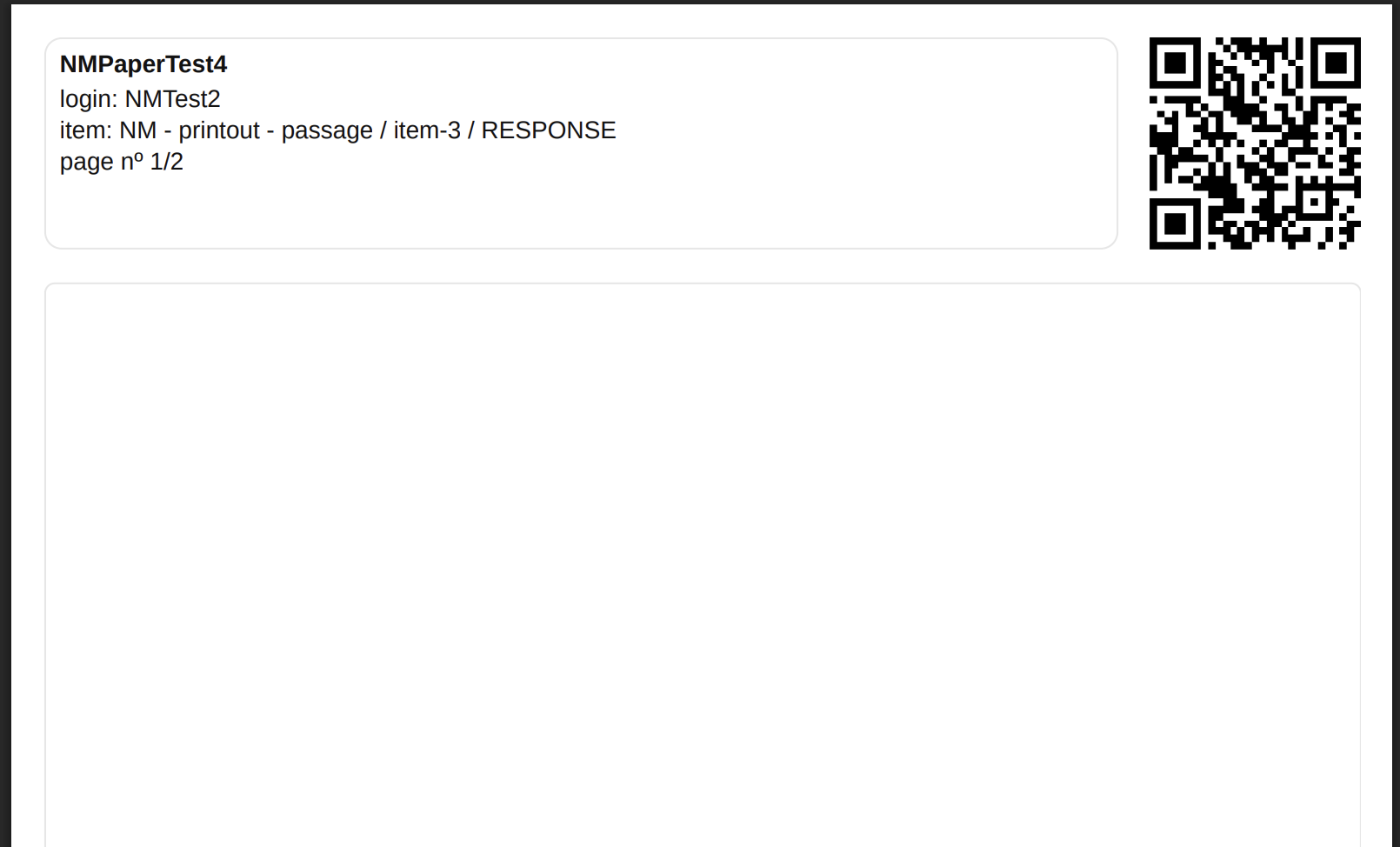
This article describes how Booklet Publishers generate PDF booklets containing response sheets for essay interactions.
Each response sheet includes:
-
A QR code used to automatically match scanned pages back to the correct session, test taker, item/interaction, and delivery execution
-
Human-readable identifiers (test taker name, item info)
-
A writing area for the candidate response
1. Access paper-based sessions
-
Log into TAO Portal
-
Navigate to Paper Sessions
-
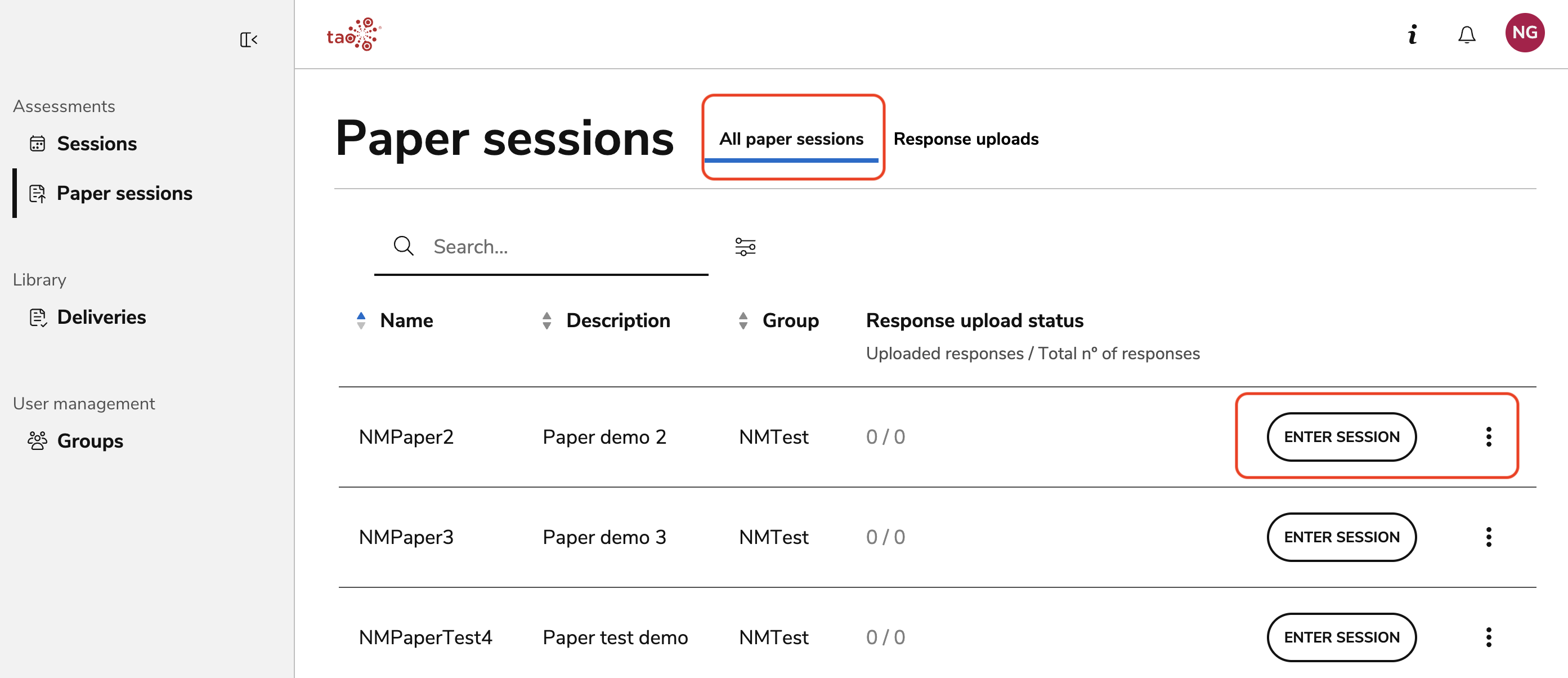
The session list shows all paper-based sessions available to your group. For each session you can see:
|
Column |
Description |
|
Name |
Session name |
|
Description |
Session description |
|
Group |
The group the session belongs to |
|
Response upload status |
Upload progress (uploaded responses / total expected responses) |
2. Enter a session
Click Enter session to view the session details. The session overview shows:
-
Summary bar: Group, number of assigned test takers, session status counts (Not started, In progress, Finished), and scoring status
-
Test taker table: Each test-taker with their name, session status, response upload progress, and scoring status
The upload progress column shows how many response pages have been uploaded versus the total expected (e.g., “4 / 4”). A green checkmark indicates all pages have been received.
3. Generate booklets
-
There are two options to generate a booklet:
-
Session list: Click the three-dot menu on a session’s row and select Generate booklet
-
Session overview: Click the Generate booklets link at the top right corner
-
The page limit for a PDF booklet is 400 pages. Exceeding this amount results in the Booklet Publisher being prompted to reduce test taker enrollment in the session. For more information, see the Limitations section in Paper-based sessions.
-
Download generated PDF when ready (from the active notification or the notification manager)
4. Print and distribute booklets
-
Print the booklet single-sided for QR readability
-
Ensure each test-taker receives the correct booklet
The booklets will contain the number of response sheets designated in the session configuration. Each sheet contains a QR code, the name of the item, the sheet’s position in the number of designated sheets-per-item (e.g. 2/3), and the name of the test taker.
The test taker will view the questions and any corresponding materials in the online session, and write their responses on the corresponding sheets.
Proctors may view test takers' progress in the live monitoring view.