
This article describes how to create items and tests for paper based sessions.
Item eligibility rules
An item will generate a paper response sheet only if:
-
It contains exactly one Extended Text Interaction
-
The interaction is set to Rich Text mode
Items that do not meet these conditions are ignored during booklet generation.
Items with multiple interactions or non-essay interaction types remain digital only.
Creating items
-
Create an Extended text interaction.
Use one interaction per paper-based item. Adding passages or text boxes with context is supported but will not be included in the response sheet.
-
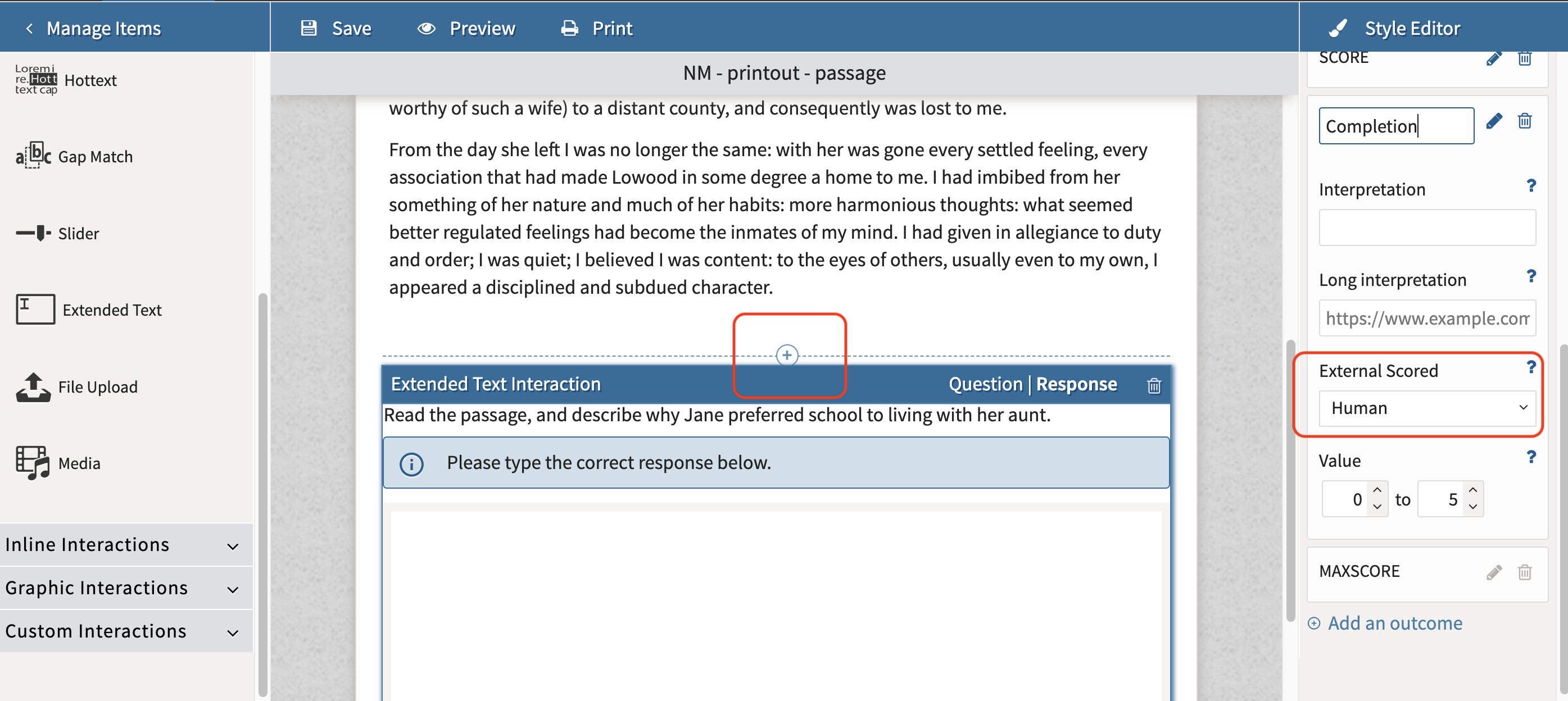
Make sure the interaction is set to Format > Rich Text.
The Document Type and Constraints do not apply to items for paper tests. Each response area will be a blank sheet; the number of sheets per interaction is determined in the session configuration (in the session_paperMode_sheetsPerInteraction field for CSV imports).
-
Set up the response properties scoring for manual grading (External Scored > Human).
Scanned responses appear automatically in the scoring interface. No special scoring configuration is required.
Creating tests
-
Follow the typical process of creating a test. Include your Extended Text interactions.
-
Combine with other item types if creating a hybrid test.
-
Publish the test as a delivery.
If you are creating a hybrid test, consider separating digital (non-extended text items) into a separate test Part. Certain Test settings (such as Paths/Prerequisites) do not apply to paper-based sessions.