
Outcome declarations
External scoring options
When configuring an outcome declaration for an item’s scoring method, you must select an option under the External Scored drop-down.
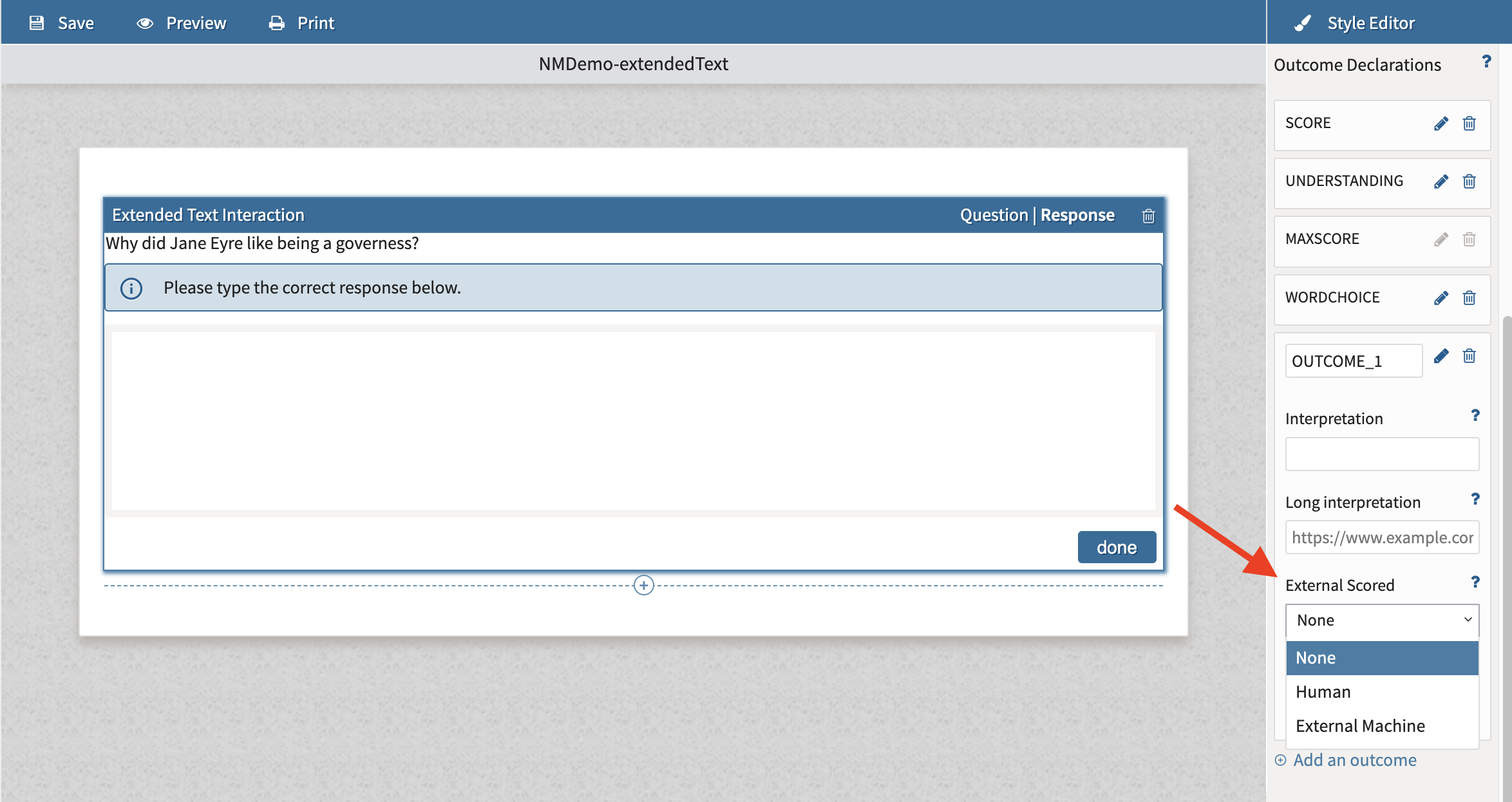
The descriptions for each option are as follows:
-
Human: This must be selected for the item to be labelled as needing manual scoring in TAO.
-
None: Means the outcome declaration will not be used for manual scoring. If this option is selected, you will not be able to configure a score range under Value.
One typical use case for None would be for custom scoring, when defined outcome declarations are used to calculate or aggregate scores based on custom formula.
-
External machine: Used if there’s a custom integration with a third-party manual scoring engine, which requires a custom implementation.
Response/outcome processing
Custom scoring
If your assessment requires scoring logic beyond the available options, you can define a custom scoring rule by editing the item's or test's response processing rule.
Custom scoring rules are written in IMS QTI Response Processing XML. This allows you to implement scoring logic such as:
-
awarding points only when multiple conditions are met
-
combining the scores from multiple interactions
-
applying conditional scoring
-
implementing partial credit rules
-
calculating scores across multiple items (test-level scoring)
Because response processing uses the IMS QTI specification, creating custom rules requires familiarity with XML and QTI response processing.
Custom item scoring
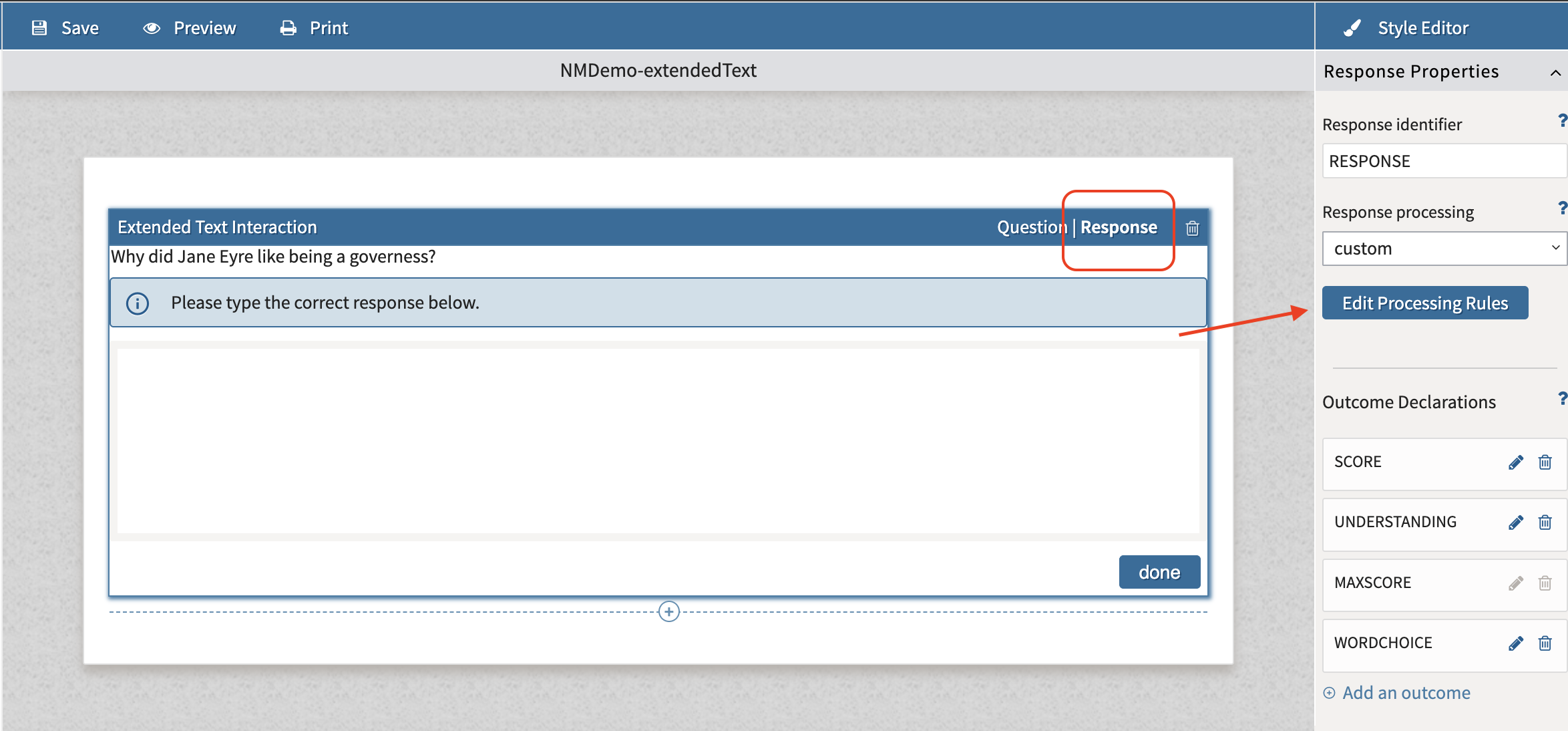
This option is found under Response --> Response processing --> Custom → Edit processing rules
Custom test scoring
This option is found under Test properties → Scoring → Outcome processing → Custom
For writing custom test scoring rules, you must open the test XML editor. For more information, see Using the test XML Editor.