
Related articles
Applies to
-
Content developers
Prerequisites
Before completing this task:
-
Have an existing test containing items.
-
Understand how item-level scoring has been configured.
Purpose
This guide explains how to modify the initial scoring method used to calculate results for a test. In this article, we will cover how to configure a Total Score method (all points combined) and a Cut Score method (pass/fail).
Steps
1. Open the test properties
-
Open the test you want to modify.
-
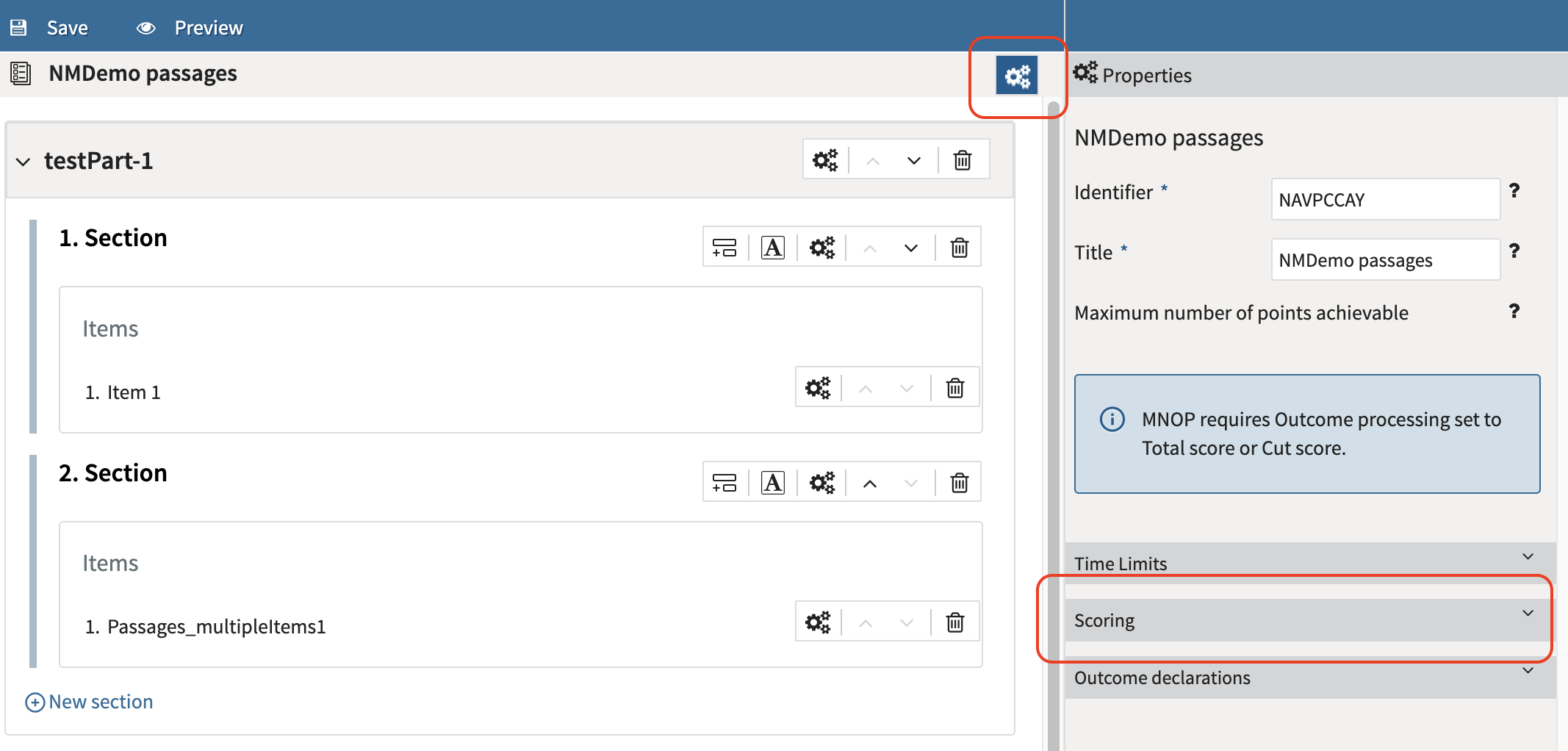
In the test authoring view, select the Test Properties (cog wheel) icon next to the test title.
-
Locate the Scoring section.
2. Select a scoring method
-
Click Scoring.
-
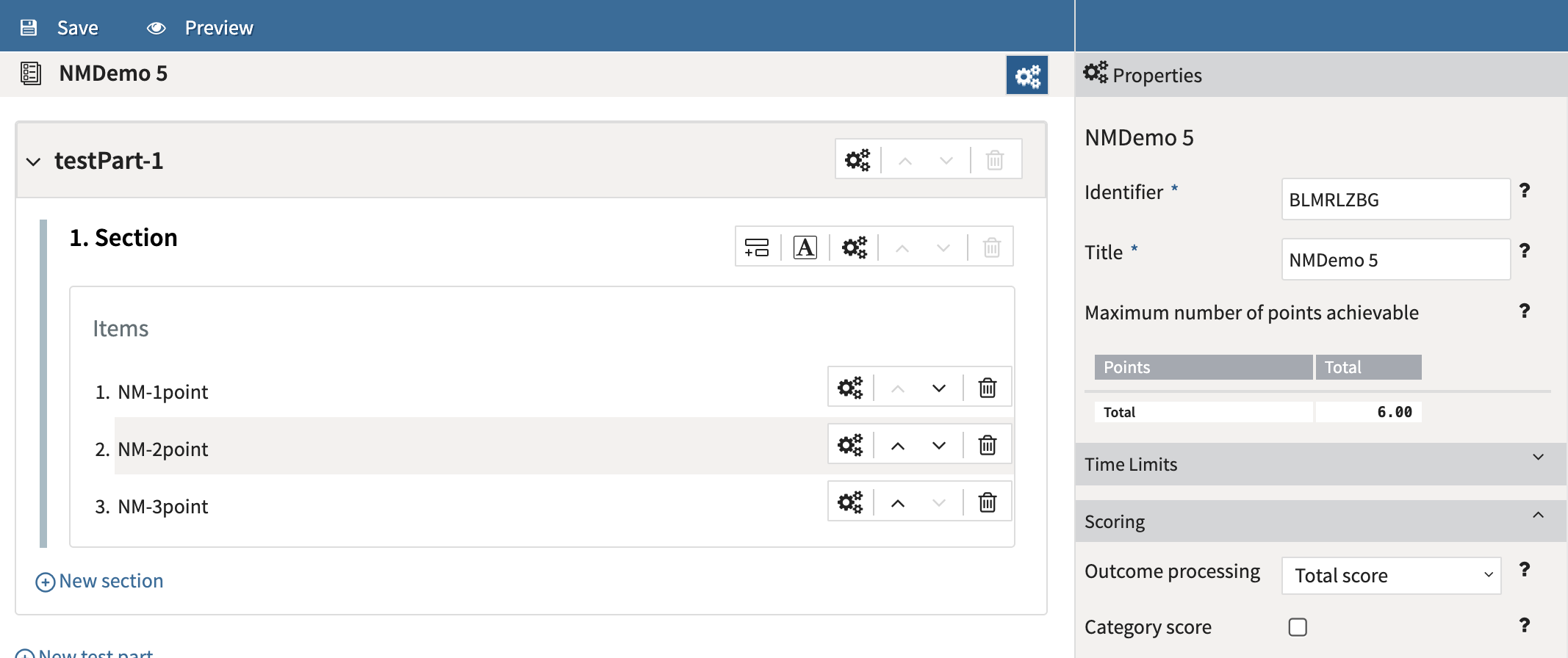
In the Outcome Processing field, select one of the available scoring methods:
|
Option |
Description |
|---|---|
|
None |
No overall test score is calculated. Individual item scores remain available for reporting and export. |
|
Custom |
Uses externally defined scoring rules, typically configured in QTI XML. |
|
Total Score |
Calculates an overall score by combining scores from all items in the test. |
|
Cut Score |
Calculates a pass/fail result based on a defined passing threshold. |
When Total Score or Cut Score is selected, TAO displays a Maximum Number of Points table in the Test Properties panel. This table updates automatically and helps authors verify:
-
Total available points
-
Category totals
-
Weighted totals
-
Overall scoring calculations
3. Configure a Total Score method
If you selected Total Score TAO automatically generates outcome variables, including:
-
SCORE_TOTAL (test-taker’s score)
-
SCORE_TOTAL_MAX (the maximum score of all items)
-
SCORE_RATIO (ratio of correct responses)
These variables can be viewed under Outcome declarations (and the number of points achievable display under Test Properties above Scoring) and are used to calculate and report the overall test score.
4. Configure a Cut Score method
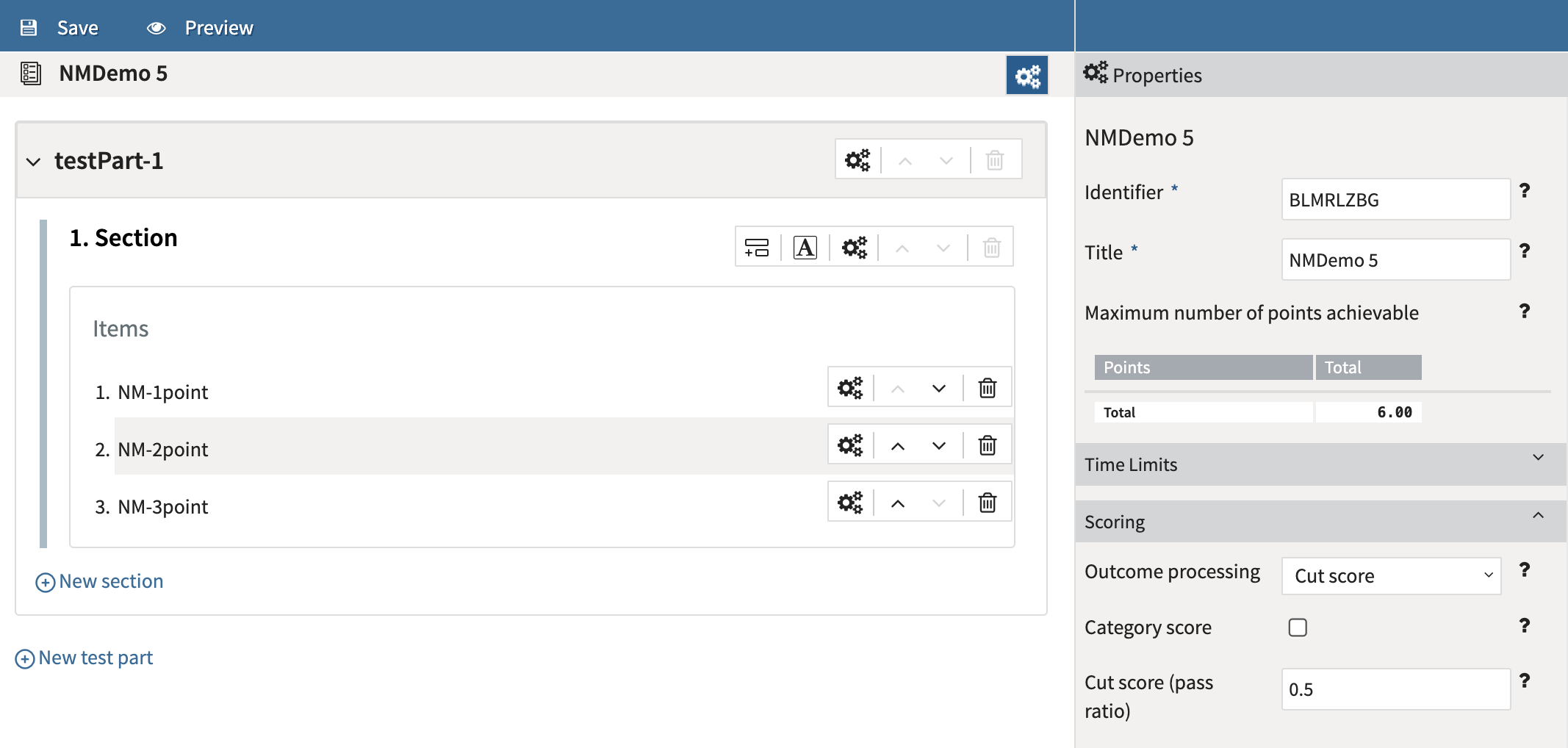
If you selected Cut Score, a cut-off point for passing the test can be defined. This is set as a ratio between the total score and max score.
-
Enter a Cut score value between 0 and 1.
-
Define the minimum score ratio required to pass the assessment.
-
Example: Enter 0.70 to require 70% of available points.
-
TAO automatically generates a PASS outcome variable to indicate whether the test-taker met the passing threshold.
In the graphic below, the test taker would need at least 3 points to pass the test (.5 = 50%):
9. Save the test
-
Save the test after completing scoring changes.
-
Review the scoring configuration before publishing or delivering the assessment.