
Related articles
Applies to
Personas
-
Administrators
Prerequisites
Before planning your organizational structure, ensure that:
-
You understand how your organization is structured (for example, district, schools, grades).
-
You have identified which administrators should manage different parts of the organization.
-
You have determined how users, groups, and sessions will be organized.
-
You understand the administrative roles that will be assigned within each level of the hierarchy.
Purpose
The organizational hierarchy in TAO controls how administrative users access and manage data. A well-designed hierarchy simplifies rostering, improves security, and ensures administrators only have access to the users, groups, and sessions they are responsible for managing.
This playbook provides recommendations for designing an organizational structure that scales effectively and supports common K–12 administrative workflows.
Recommended approach
When designing your organization, consider the following principles:
-
Plan the hierarchy before importing users.
-
Build a structure that reflects your real organization.
-
Assign administration at the appropriate level.
-
Organize users and groups consistently.
-
Keep the hierarchy simple and scalable.
Workflow
1. Understand the purpose of Organizational Units
Organizational Units (OUs) are the foundation of organization management in TAO.
They are used to:
-
Control administrative access.
-
Organize users and groups.
-
Separate data between different parts of the organization.
-
Support delegated administration.
Every user and every group must belong to an Organizational Unit.
Administrative users can only manage the Organizational Units assigned to them and any child Organizational Units beneath them in the hierarchy.
Think of Organizational Units as administrative boundaries rather than simply folders for organizing content.
2. Reflect your real organizational structure
Your hierarchy should mirror how your organization operates in practice.
For a typical school system, a structure similar to District > School > Grades works well.
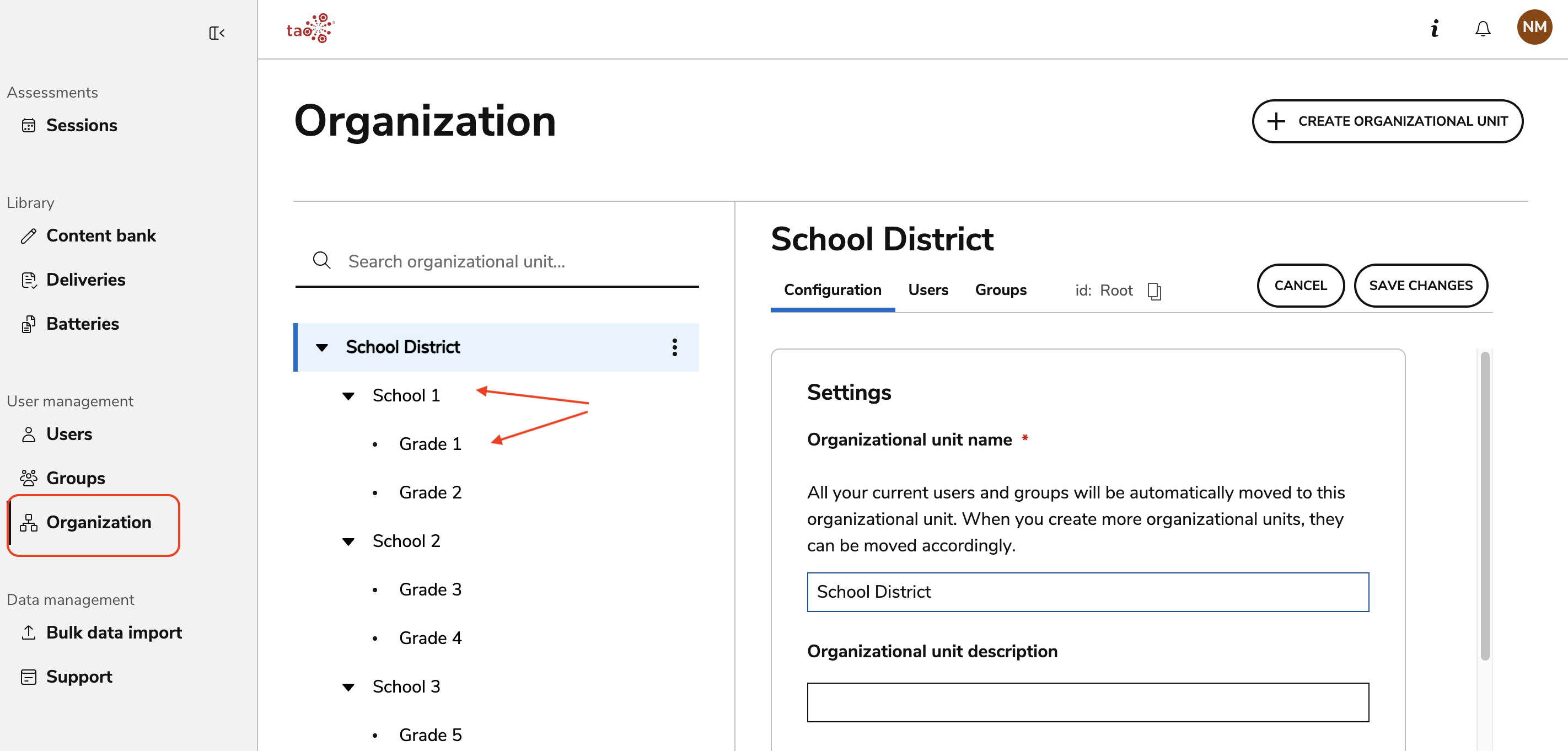
Some organizations may also include additional levels, such as campuses, departments, or programs, but the overall hierarchy should remain intuitive and easy to maintain.
3. Build the Hierarchy Tree before adding users
One of the most important planning decisions is to establish the organizational hierarchy before creating users, groups, or sessions.
A recommended order is:
-
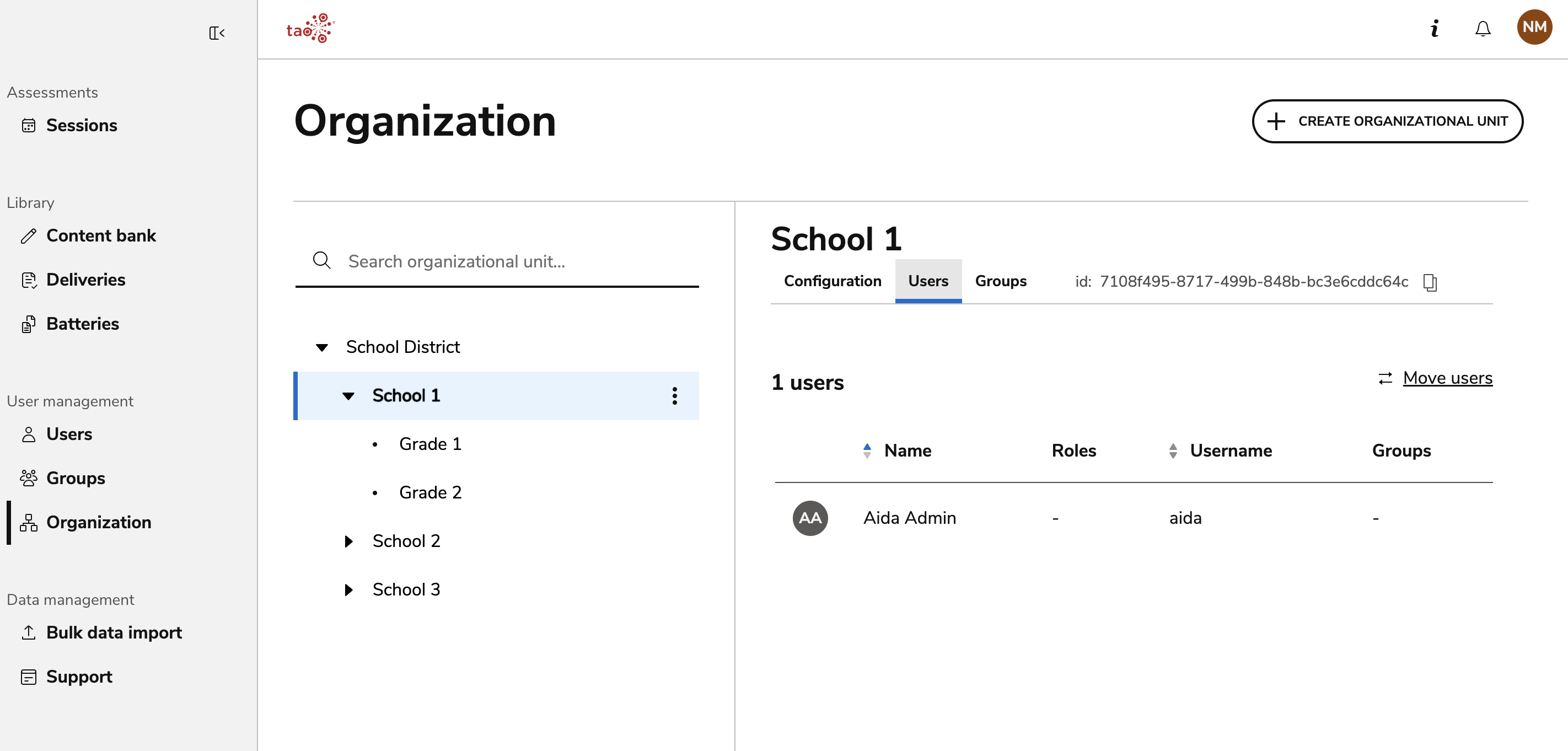
Create administrative users and assign to the appropriate Organizational units (such as a district or school).
-
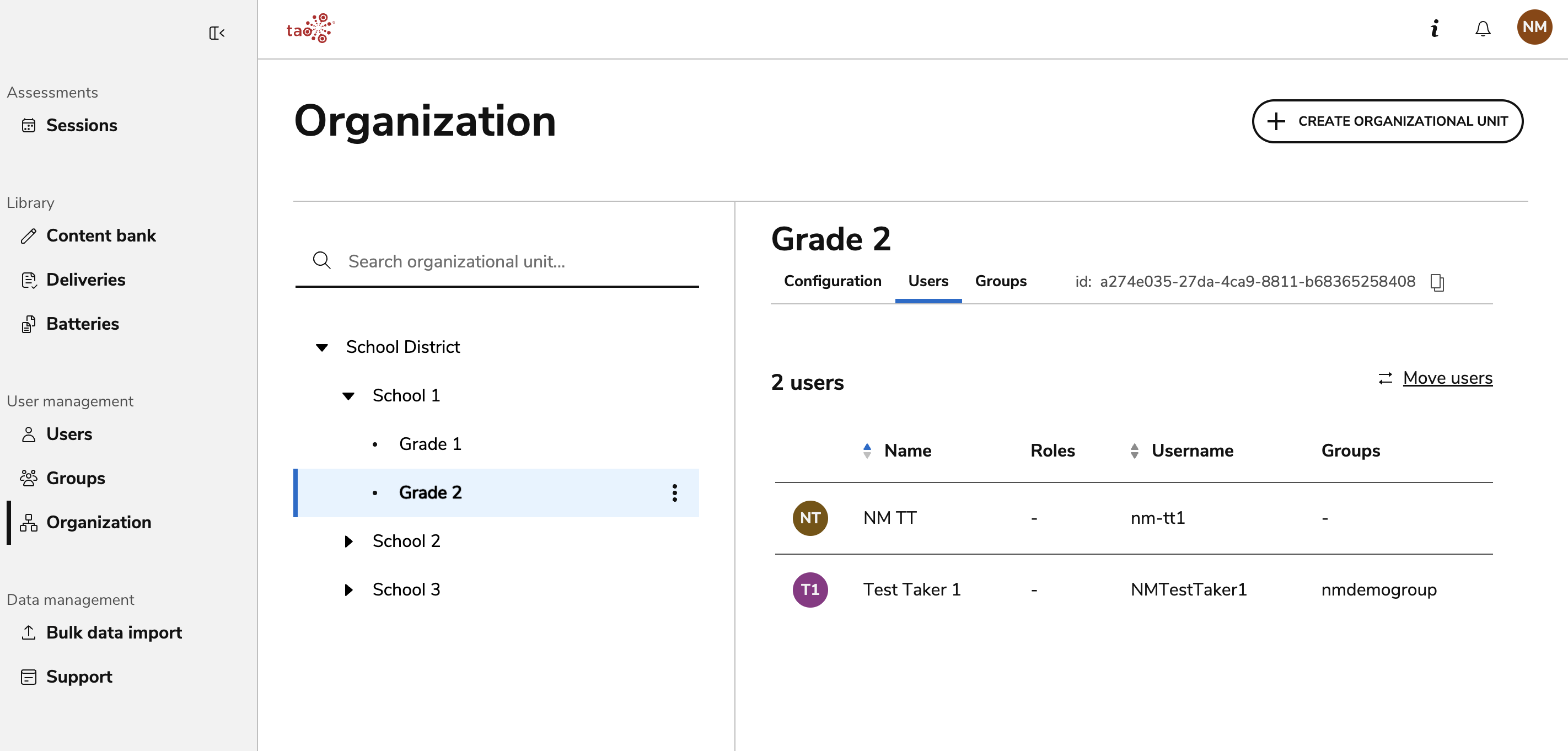
Create test takers and assign to Organizational units (such as a grade).
-
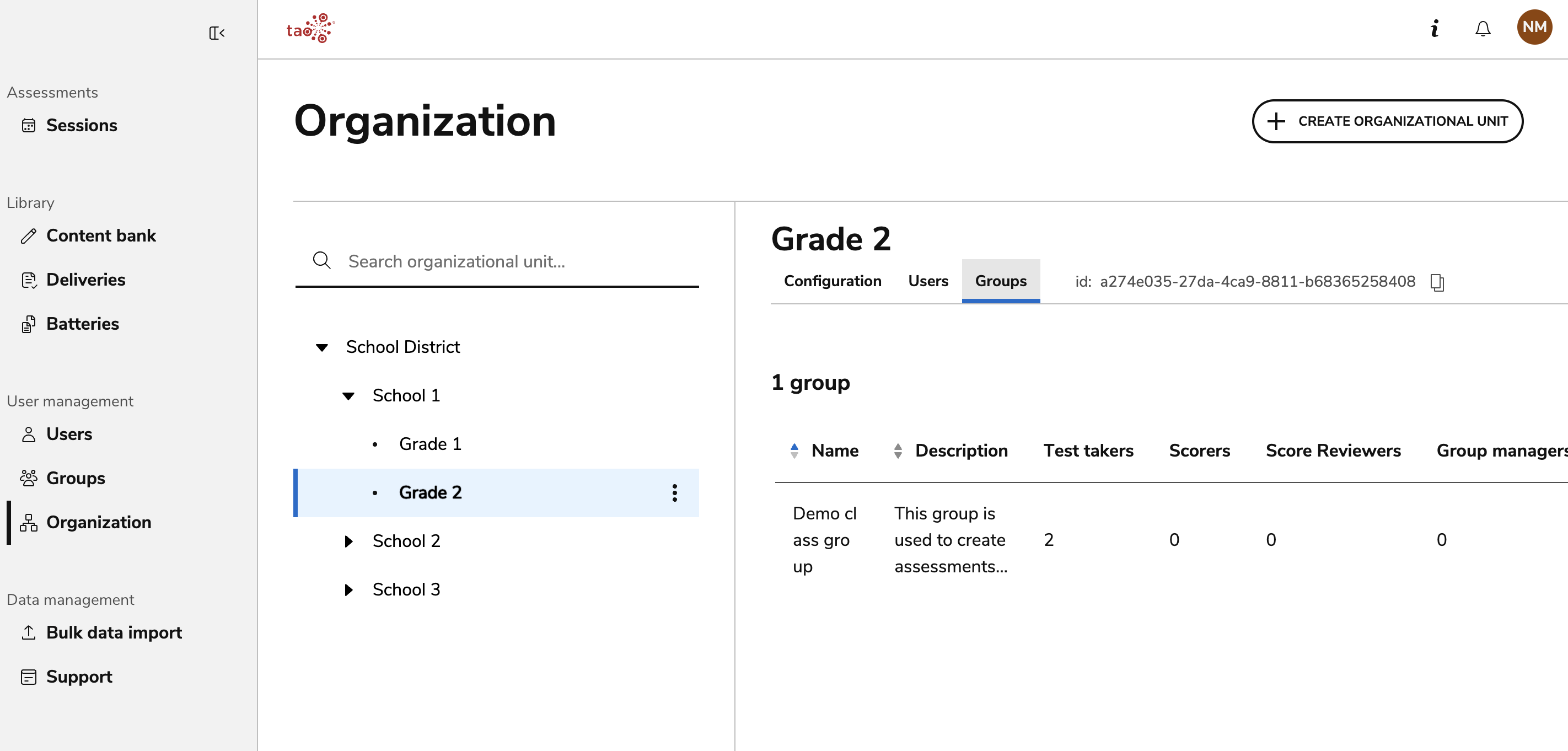
Create groups and assign to the appropriate Organizational Units.
Although Organizational Units can be changed later, defining the hierarchy first reduces administrative work and minimizes the need to reorganize users after deployment.
4. Delegate administration at the appropriate level
The hierarchy determines which data administrators can access.
As a general guideline:
-
District administrators manage the entire district.
-
School administrators manage their individual schools.
-
Teachers or assessment coordinators manage groups and sessions within their school.
-
Students are assigned to the appropriate Organizational Unit but are not given administrative responsibilities.
This approach supports delegated administration while protecting data belonging to other schools or organizational areas.
5. Organize groups within Organizational Units
Because administrators only see users within their own Organizational Unit (and its children), thoughtful group placement simplifies everyday management.
For example:
-
Grade-level groups remain within the corresponding school.
-
Classroom groups remain within the appropriate grade.
-
Staff groups remain within their school's Organizational Unit.
6. Keep the hierarchy simple
A hierarchy should provide structure without becoming unnecessarily complicated.
When designing Organizational Units:
-
Use clear, descriptive names.
-
Keep the number of levels reasonable.
-
Avoid creating Organizational Units for short-term projects or temporary events.
-
Use groups rather than additional Organizational Units for temporary organizational needs whenever possible.
A simple hierarchy is easier for administrators to understand and reduces maintenance over time.
7. Standardize naming conventions
Consistent naming improves navigation and search.
Choose naming conventions that are easy to recognize across the entire organization.
For example:
-
Schools: Lincoln Elementary
-
Grades: Grade 5
-
Classrooms: Room 204
-
Programs: Summer Reading
8. Use Search to navigate large Hierarchy Trees
Organization Management allows administrators to search using all or part of an Organizational Unit name.
For example:
Searching for:
-
Lincoln -
Grade 5 -
Room 204
will return Organizational Units containing those terms.
Search is also tolerant of incomplete terms and many common typing mistakes, making it easier to navigate large organizational structures.