
Related articles
How to create and deliver a paper-based session
Applies to
Personas
-
Content developers
-
Administrators
Prerequisites
Before authoring content for paper-based testing, ensure that:
-
Paper-based sessions have been enabled for your organization.
-
You understand the limitations of paper-based delivery.
-
The assessment has been identified as a paper-based or hybrid assessment.
Purpose
Paper-based testing in TAO uses a hybrid workflow in which learners view assessment content online but write responses on printed response sheets. Because these response sheets are generated automatically, only specific item types, delivery configurations, and session settings are supported.
This guide outlines best practices for designing items and assessments that are compatible with paper-based testing while minimizing issues during booklet generation and delivery.
For more information on the full workflow, see How to create and deliver a paper-based session.
Recommended approach
When authoring for paper-based testing, consider the following:
-
Design eligible items.
-
Build compatible deliveries.
-
Consider how sessions will be configured.
-
Use meaningful item identifiers.
-
Validate the complete workflow before publishing.
Best practices
1. Start with the response sheet in mind
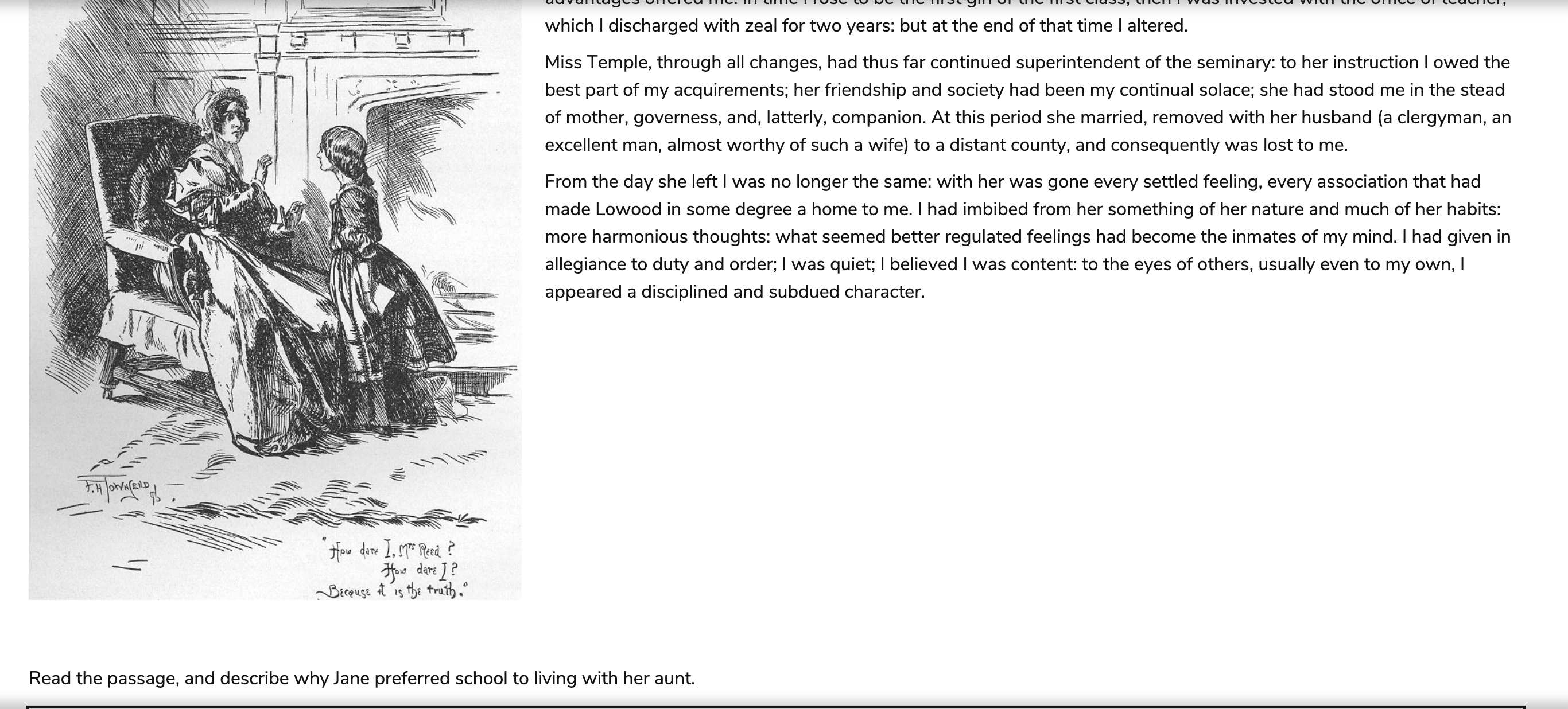
Unlike a traditional paper exam, TAO does not generate a printed question booklet.
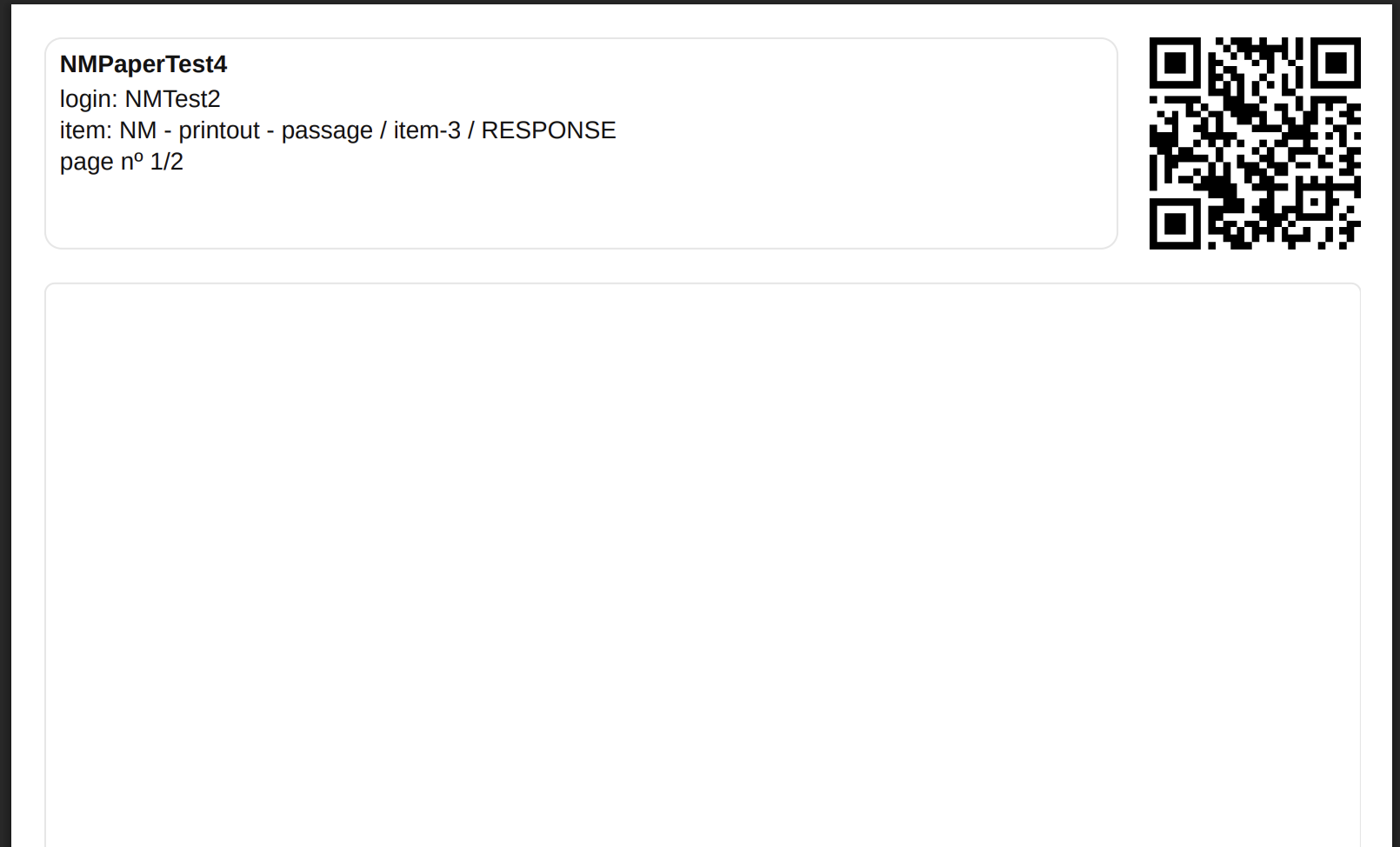
Instead, it generates response sheets that include:
-
A QR code
-
Candidate identification
-
Item information
-
Blank writing space for the response
The assessment questions, passages, and other supporting materials remain available digitally during the assessment.
When authoring items, remember that learners will be viewing the question on screen while writing their response on paper.
Example:
2. Keep paper-based items simple
Paper-based testing currently supports a limited authoring model.
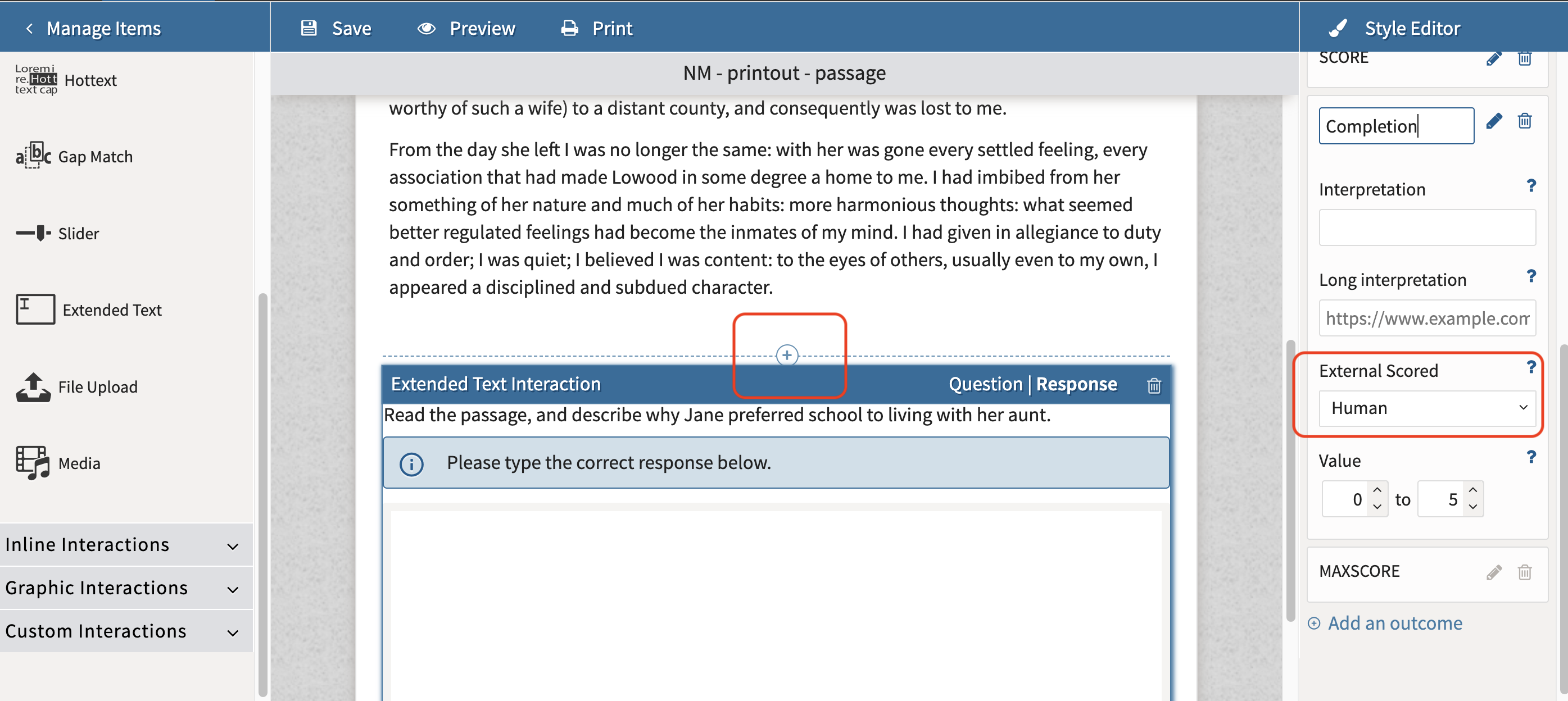
An item is eligible only if it:
-
Contains exactly one interaction.
-
Uses an Extended Text interaction.
-
Configures that interaction in Rich Text mode.
Items that contain multiple interactions or unsupported interaction types cannot generate paper response sheets.
3. Design tests for a fixed assessment path
When planning a paper-based assessment, design the delivery as a fixed sequence of items.
Avoid test authoring features such as:
-
Branching rules
-
Item shuffling
-
Section shuffling
4. Understand the restraints of the workflow
Even though this is not configured in authoring, the Portal session must also respect the following constraints:
-
the session cannot be linked to a battery
-
the session cannot be Public
So an item may be valid, and a delivery may be valid, but the workflow can still fail if the Portal session itself is not compatible.
5. Use clear item titles and identifiers
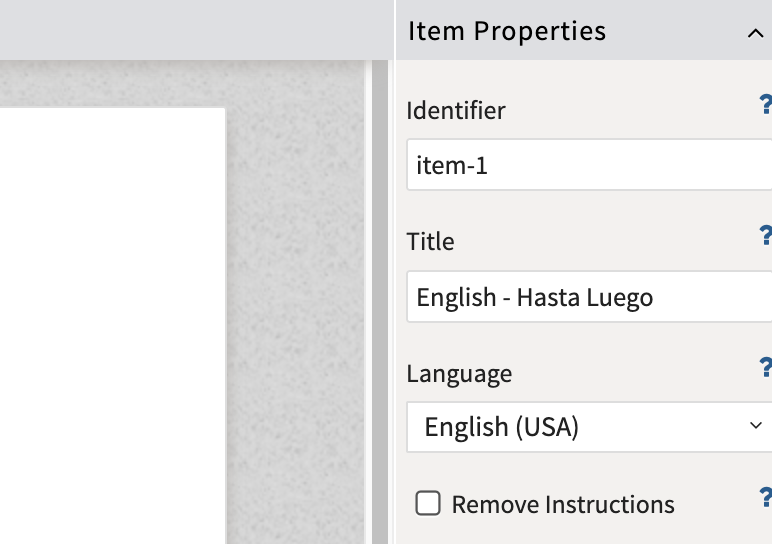
The PDF header can include information that is already visible in authoring. The available fields are:
-
item identifier
-
item title
-
interaction response identifier
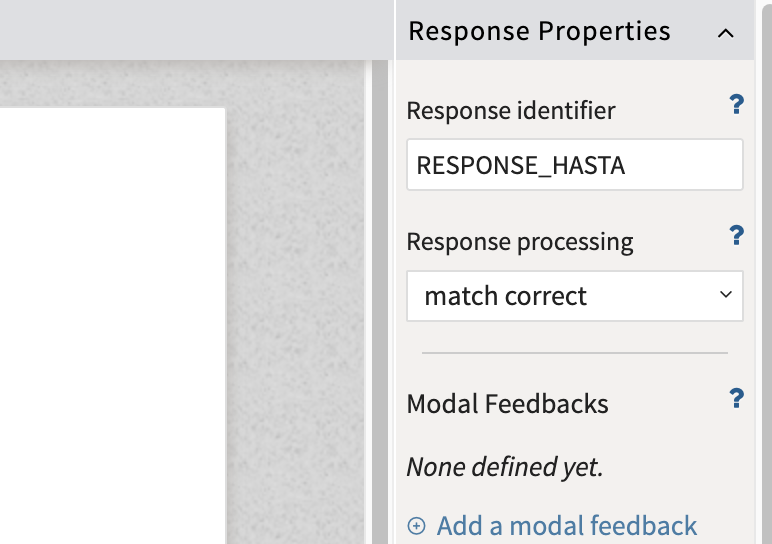
Because these values may be printed and viewed by administrators or proctors, use titles and identifiers that are clear, descriptive, and easy to distinguish. A good practical recommendation is to make sure that at least the item title is clear and readable, since it is often the most useful field to display on the sheet.
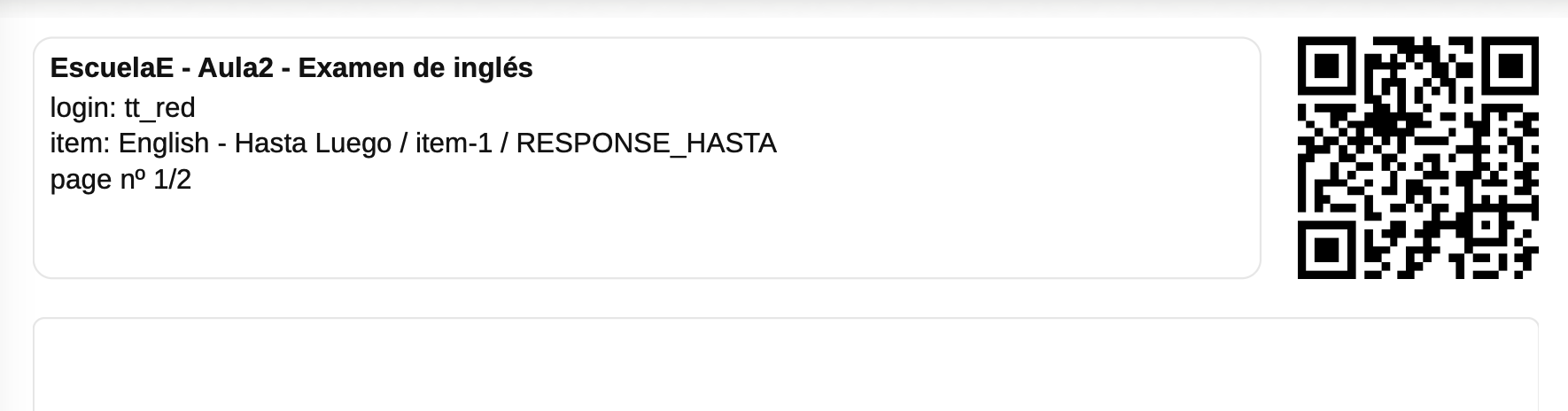
Not all of these fields have to be displayed, since the header is customizable.