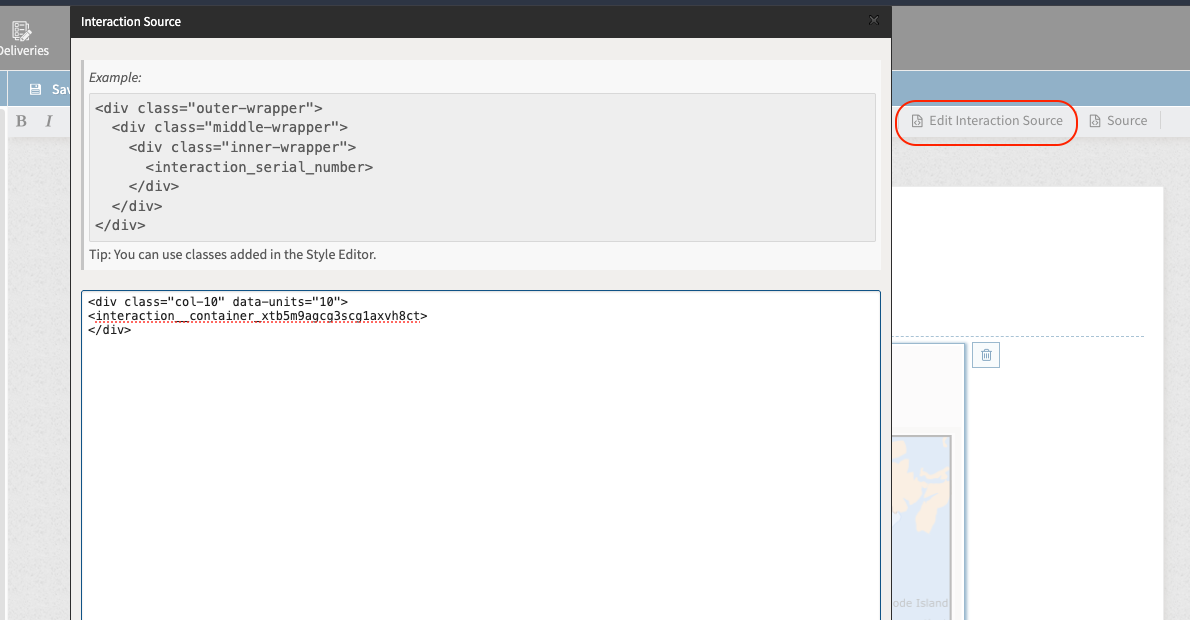
In TAO Authoring, each item is structured according to the QTI (Question and Test Interoperability) standard and is stored in XML format. While TAO provides a user-friendly interface for item creation and editing, advanced users may wish to access and modify the raw XML code for more precise control or to apply features not exposed through the UI. If you are interested in enabling this feature, please talk to your Account Manager.
1. Select your item from the Items Library.
This will take you to the empty item you have created. Click on the Authoring icon in the Action Bar.
2. Select the editor icon(s) from the toolbar above the canvas.
To edit elements related to the structure of the item (such as table styles), select Edit Interaction Source.
To edit the content within the interaction (such as the question or answer options), select Source.
3. Make Changes in the XML Editor:
The XML structure of the item is now visible. You can directly modify the <interaction> element, response declarations, styling, or other QTI-specific markup as needed: