
Applies to
Test takers with an active TAO account.
Purpose
This guide explains how to update your account settings in the TAO Portal. You can change your name, email address, password, and interface language from your account settings.
Steps
-
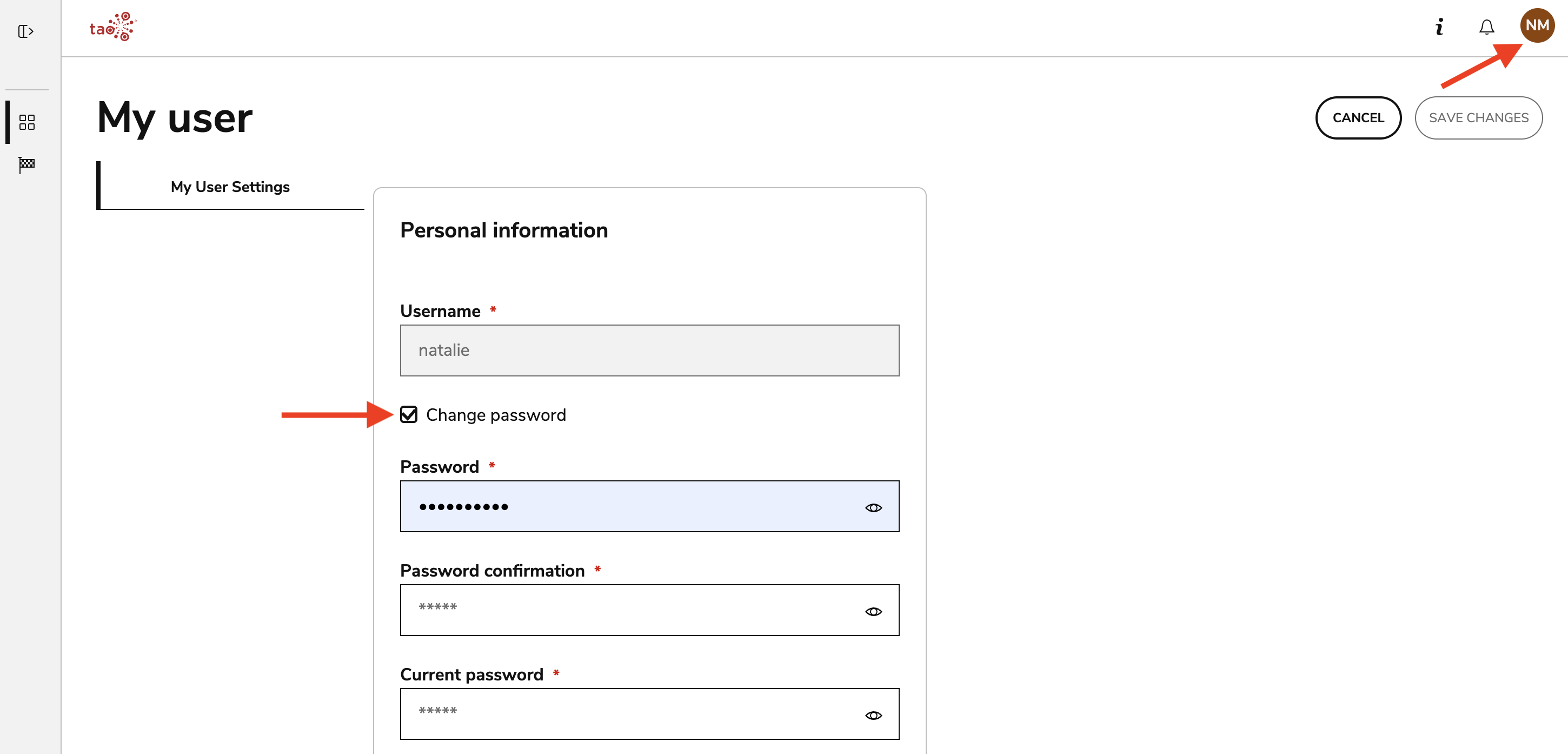
Select the circular button in the top-right corner of the Portal.
-
Select My user from the menu.
-
Open the My User Settings tab.
-
Update your name, email address, password, or language as needed. Your username cannot be changed. Note that form for resetting a password will display after selecting Change password.
-
Select a new language to change the language displayed throughout the Portal interface and during the test-taking experience. Changing this setting does not change the language of the assessment material.