
Applies to
-
Administrators
-
Support users
Prerequisites
-
Access to the Support space in TAO Portal.
-
The username of the test taker (or backend user) whose activity you want to investigate.
Purpose
Use the Support space to view activity for an individual test taker (or any user) from a single location. You can monitor active assessments, review logs, view assigned sessions and completed deliveries, and manage the user's password.
Steps
-
In TAO Portal, select Support from the main menu.
-
Enter the test taker's username in the search field.
-
Select Load.
-
Select the tab that contains the information you want to view.
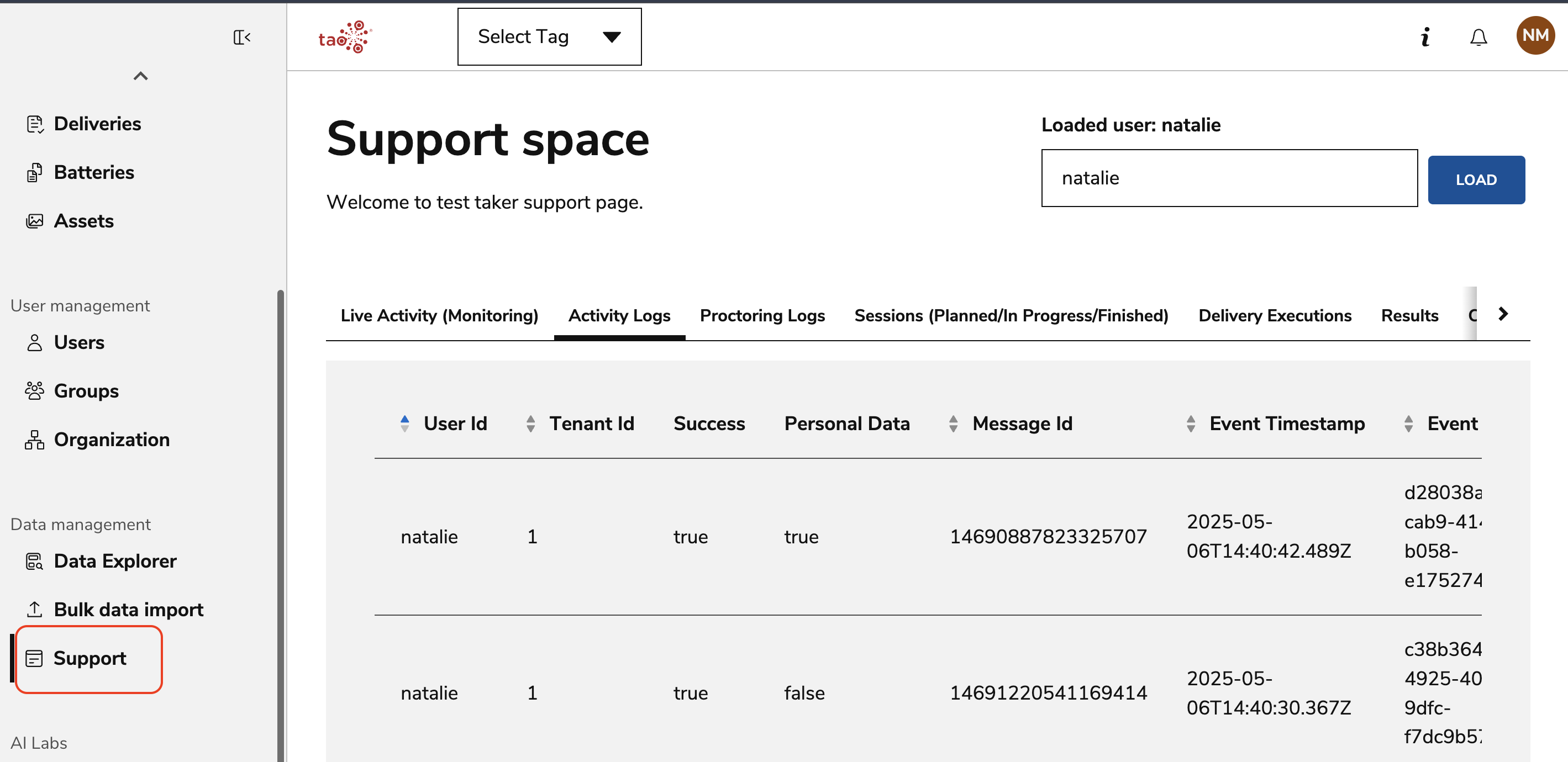
Available tabs
|
Tab |
Use to view |
|---|---|
|
Live Activity (Monitoring) |
Ongoing assessment activity and monitoring controls. See Monitoring a Live Session. |
|
Activity Logs |
User activity across the TAO platform. See Activity Logs. |
|
Proctoring Logs |
Assessment-specific proctoring events. See Proctoring Logs. |
|
Sessions |
Assigned sessions and their current status. |
|
Delivery Executions |
Delivery execution records for the user. See Delivery Executions. |
|
Results |
Completed assessment deliveries. See Delivery Results. |
|
Change Password |
Reset the user's password. |