
Related articles
Applies to
-
Administrators
Prerequisites
-
Administrator access to TAO Portal.
-
Basic knowledge of how to construct a CSV file containing the data to import.
Using a TAO CSV template is strongly recommended.
Purpose
Use the Bulk Import Data feature to import rostering or session data into TAO. The import is processed asynchronously, and you can review the results after processing completes.
Steps
-
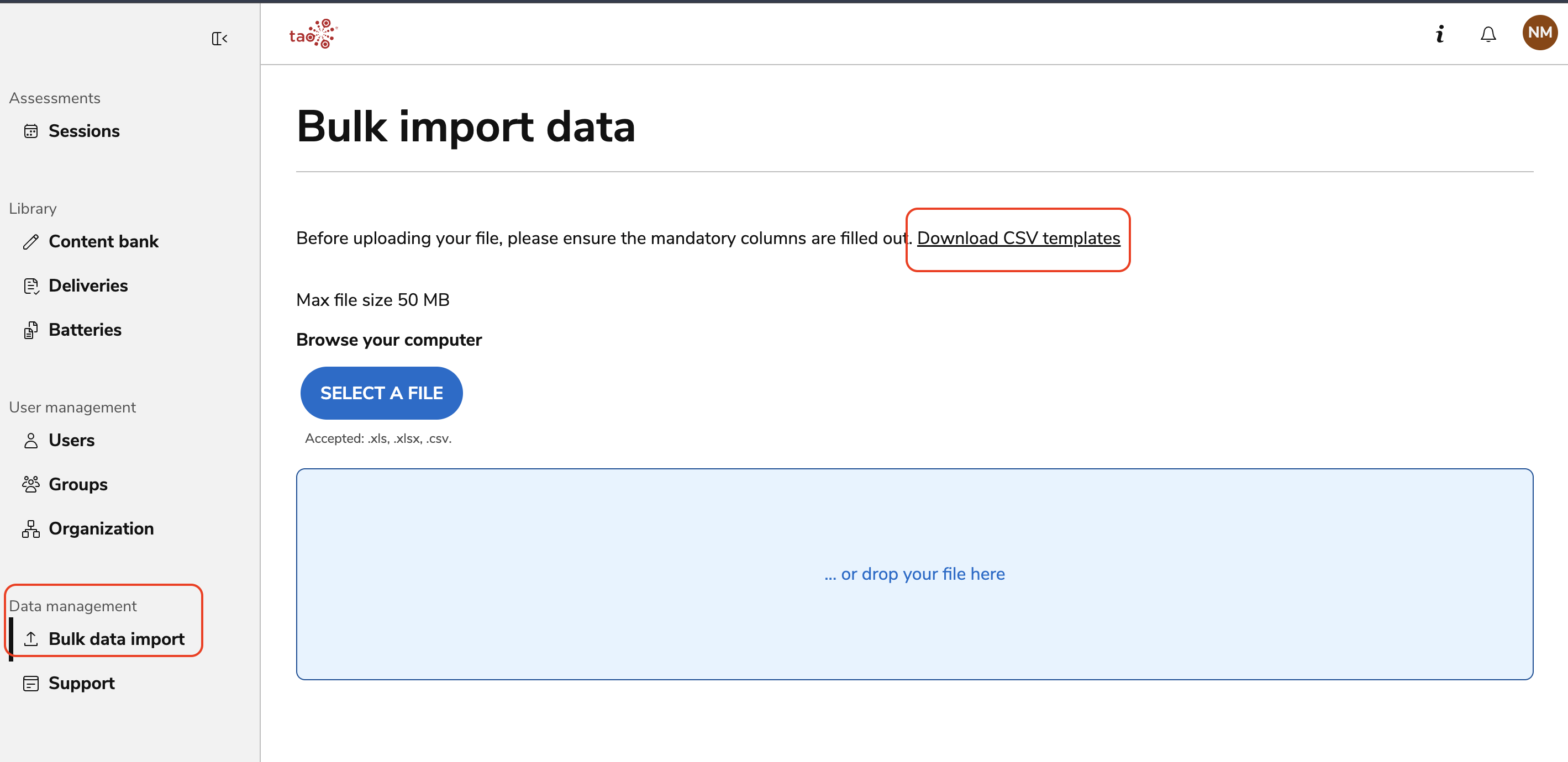
In TAO Portal, select Bulk Import Data from the main menu.
-
(Recommended) Select Download CSV templates.
-
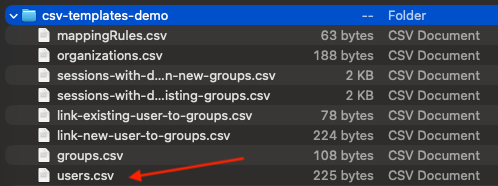
Open downloaded .zip file and select the template that matches the data you want to import (for example,
users.csvto import new users).
-
Populate the template with your data and save it as a CSV file.
-
Alternatively, create your own CSV file that follows TAO's required column naming conventions.
-
See the CSV Import guide for details on creating these files from scratch.
-
Certain applications will default to save the file as a different type of document (for example, Mac will default to saving the file as a Pages file). As a workaround, select Export > Export as CSV file.
-
Return to Bulk Import Data.
-
Drag and drop the CSV file into the upload area, or browse to select the file.
-
Select Upload.
Verify the import
-
Wait for the import to finish processing.
-
Open the Notification Center to view the import status, or to review any warnings or errors.
The same process is used to import both rostering data and session data.
Edit and re-import a CSV file
You can update data by re-importing a CSV file that has already been imported.
-
Open the original CSV file.
-
Edit the fields that you want to update.
-
Save the file as a CSV.
-
Follow the same upload process described above to import the updated file.
TAO validates the updated data during import and applies any changes to existing records as needed.
Video tutorial
For a video demonstration of this process, see Rostering tutorials.