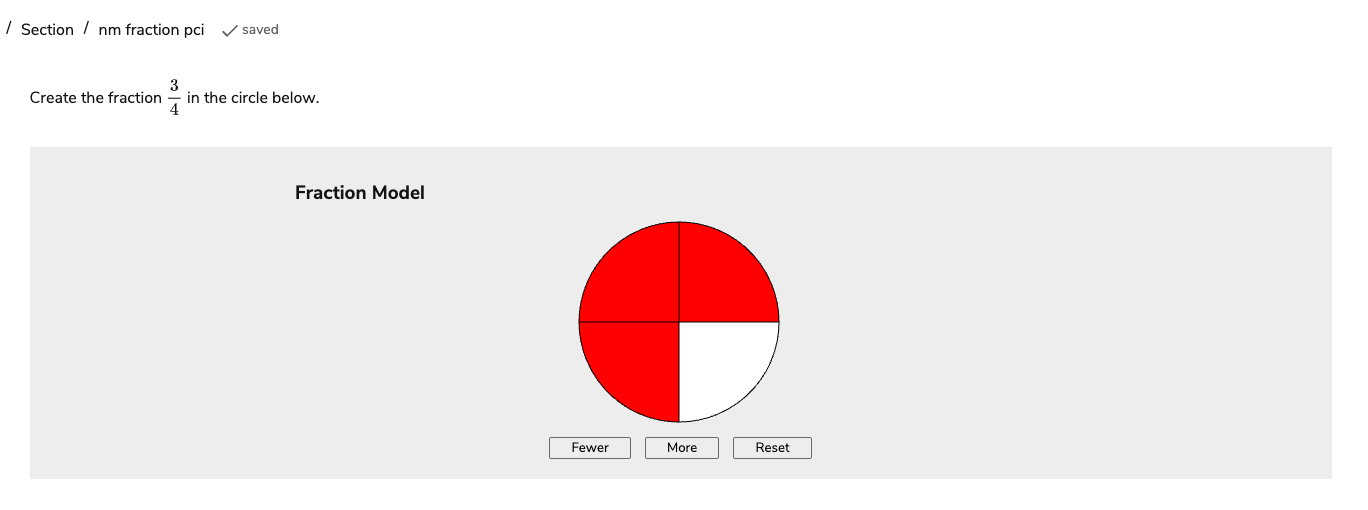
The Fractions interaction is useful if you wish to set a test question where you ask the Test-taker to express a fraction of something visually. Test-takers can do this by first defining the denominator and then highlighting the correct number as the numerator. This interaction is enabled by default in updated TAO environments (TAO Ignite).
1. Configure the interaction’s display properties
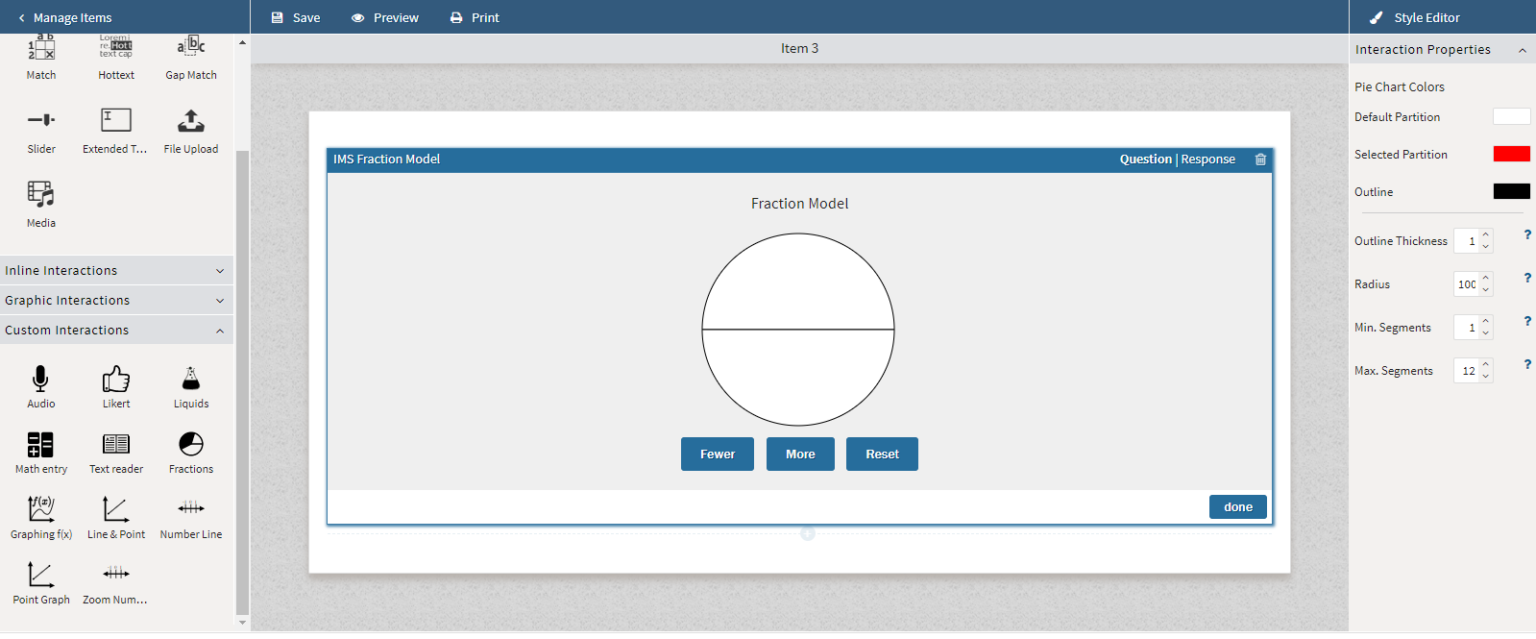
In the Interaction Properties, you can change the color of the unselected (default) space, the selected space, and the outline of the circle. You can also change the size and thickness of the circle.
The test taker will select Fewer and More to add partitions to the circle. The amount of partitions should reflect what the the fraction’s denominator is. In Min and Max Segments, set the boundaries for how many partitions the test taker can add.
2. Configure the interaction’s response properties.
Click the interaction’s Response tab. Add partitions to match the denominator, then select the correct amount of segments to match the numerator. Click Done.